
Default Web Content

| Sullo
Chris has been working in security for 30 years, mainly doing penetration testing in both consulting and corporate environments. Chris is the author of the Nikto web scanner, founder of the RVAsec conference, and has been involved in many OSS projects and community efforts.

Whether it’s forgotten temporary files, installation artifacts, READMEs, or even simple image files—default content on web servers can turn into a boon for attackers. In the most innocent of cases, these types of content can let attackers know more about the tech stack of the environment, and in the worst case scenario can lead to exploitation.
Technical Details
When developers build sites they are focused on functionality and meeting requirements. Cleaning up after themselves—or the application environment—often takes a backseat to fixing bugs and adding features. And if it’s the web server itself (and not the application), is that the responsibility of the developer or the system administrator?
Most COTS (commercial off-the-shelf software) products litter the filesystem with debris—installation scripts and programs, README files, examples, and more. Just because these are not critical for app operations doesn’t mean they shouldn’t be taken seriously and removed or restricted.
Example Programs
Example or sample programs can sometimes be a source of compromise. These applications are designed to show off technology, not to be secure. A quick search shows nearly a dozen CVEs related to Apache Tomcat’s default examples.
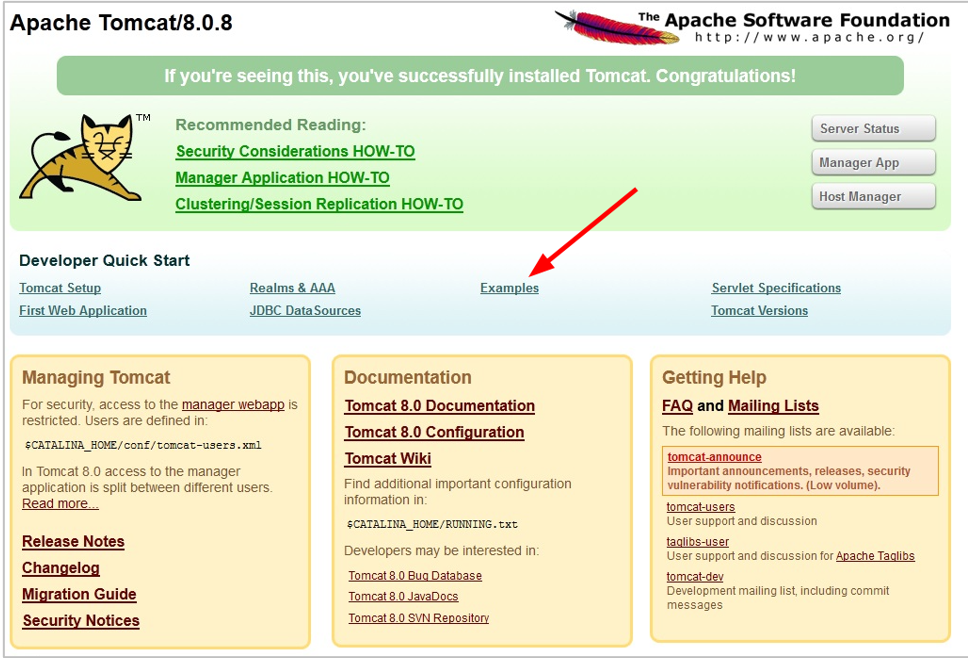
Even in this example, the administrator interface itself is “default content” (more on this below). Production web servers do not need these admin interfaces, let alone the example programs, accessible to anyone but administrators.
README/CHANGELOG
We all need a little help sometimes—especially when installing complex pieces of software in a tech stack. But once it’s working, those helpful files can lead to information disclosure scenarios that leak details of the installed software and/or versions.
Question: What’s the difference between Apache 2.4.59 and Apache 2.4.60?
Answer: CVE-2024-36387
As an attacker, maybe I’m going to check for this whether I know the version or not. But if I can use a README file to confirm my target is Apache 2.4.59, I’m much more likely to look closely at this CVE to see if it applies to the environment and if I can use it.
Sure, it is vulnerable without version confirmation, but the chances an attacker hones in on a particular flaw skyrocket when a software version can be confidently determined.
WordPress, the most widely used CMS, defines a standard for plugin README files.
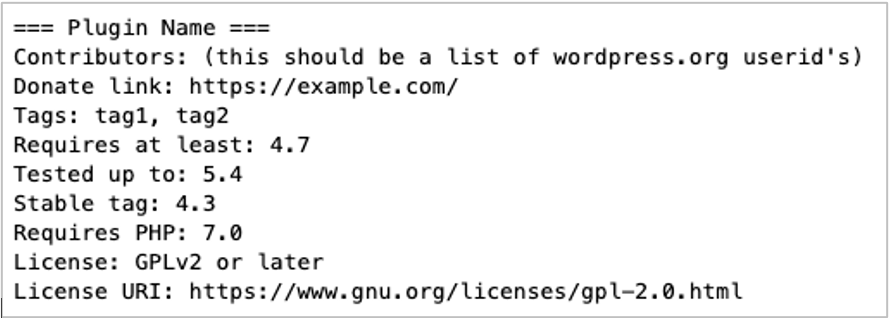
It starts with enough information to get a rough idea of the plugin and WordPress versions (sometimes it’s directly listed), but even if it doesn’t, elsewhere the file usually contains a changelog that pinpoints the version.
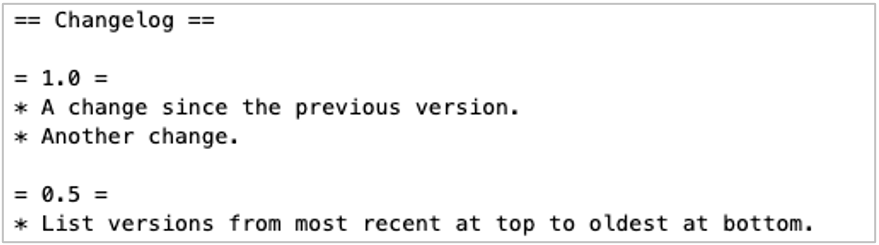
Why guess the version when the README will tell you?
Installation Artifacts
It’s harder to count CVEs related to installation or update files, but plenty exist. One example is Atlassian Confluence, which was impacted by CVE-2023-22518, where a leftover installation file allowed attackers to reset the admin password.
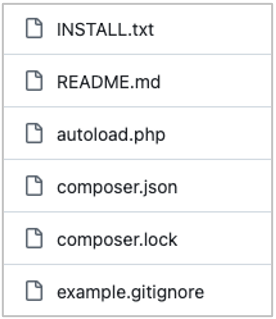
Other artifacts may include example config files or scripts that, again, reveal installation information. Drupal, another popular CMS, includes half-a-dozen “dotfiles” (files that begin with a period) that should be restricted by default–but are often not due to a web server misconfiguration. It also includes files like example.gitignore and Composer files—all of which can be used for fingerprinting.
Images & Favicons
Images are innocuous, right? And those little pictures in the browser bar when you hit a website, the favicon.ico file? Sometimes, not so much.
Nikto, a web site scanner, has over 350 hashes for favicon files which can be used to fingerprint the installed software.
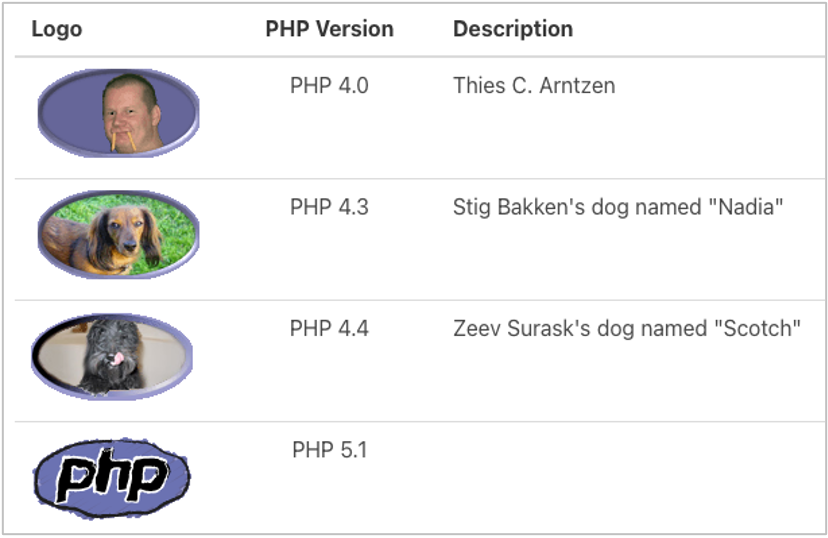
The “PHP Easter Egg” issue—with URLs like /?=PHPE9568F34-D428-11d2-A769-00AA001ACF42 — lets attackers determine the exact version of PHP installed.
Other Stuff
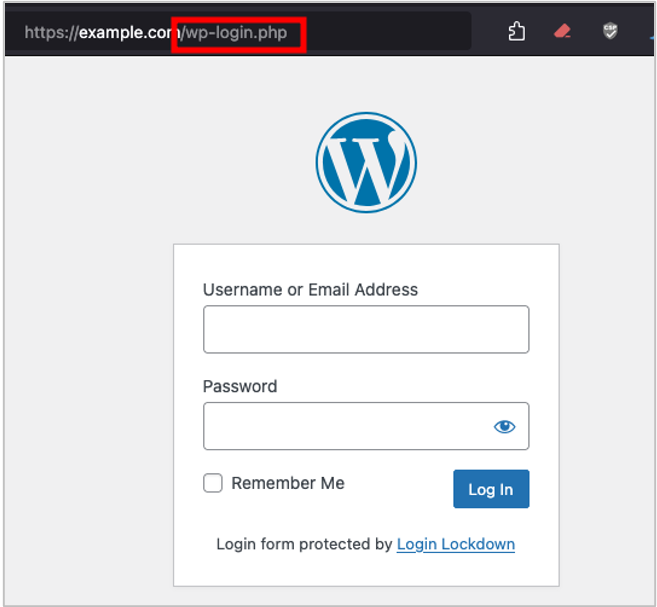
It’s worth mentioning administrative interfaces in the same context. While it may be more difficult to turn them off or move them, they are at well-known default locations and can lead to information disclosure or, at worst, full compromise.
Web scanners have hundreds of checks for these admin interfaces. Default file lists for tools like Gobuster have tons more. There is a reason… it’s where the good stuff is!
Tools & Testing
There are two main types of scanning software that can identify default content on web servers. First are general web application scanners, and second are discovery tools. Both offer advantages and disadvantages. File and directory discovery tools are often faster and easier to use, whereas web scanners offer more flexibility and can perform more detailed analysis.
The lists here are by no means comprehensive and focus on open-source or common tools.
Discovery
- Gobuster
- Dirsearch
- BHIS blog: How to Use Dirsearch
- ffuf
Scanners
- Nikto
- WPScan
- Burp Suite Pro (content discovery)
Remediation
Before moving an app or server to production, ensure installation artifacts, default files, admin interfaces, and other unnecessary content are removed or restricted.
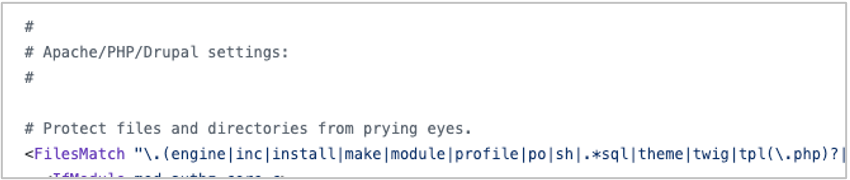
Implementing default restrictions, such as in a .htaccess file, is a good way limit the files a site will serve can to some degree be “future proofed” for upgrades by using patterns. Drupal itself comes with a .htaccess file that restricts installation and other files and could be adapted for almost any PHP application or site.
Ideally, administrative interfaces should be restricted by source IP address or be positioned behind a VPN to ensure they are not accessible to attackers. Limit availability to corporate egress IPs, jump systems, etc., to limit an attacker’s ability to see this type of functionality.
While not a full protection by any means, even moving the default admin interface to a new random path can offer some benefit and prevent “drive-by” attacks where attackers are just looking for certain directories or files. This can also prevent easy identification by web scanners.
Summary
Cleaning up after yourself (or others) is always a chore, but this oft-forgotten step can be helpful to limit the amount of information an attacker can learn about an environment. In extreme cases, this step could prevent a compromise—an effort entirely worth the time required.
Ready to learn more?
Level up your skills with affordable classes from Antisyphon!
Available live/virtual and on-demand
