
GoSpoof – Turning Attacks into Intel
by Ivan Casamalhuapa | BHIS Intern
Imagine this: You’re an attacker ready to get their hands on valuable data that you can sell to afford going on a sweet vacation. You do your research, your recon, everything, ensuring that there’s no way this can go wrong. The day of the attack, you brew some coffee, crack your knuckles, and get started. A few hours into the service scan, you come to realize that all the network ports are open, but in use. “How strange,” you think, but you can already imagine the beach breeze on your skin, so you persist. Attack after attack and… nothing. You can’t seem to get anything.
Meanwhile, the organization’s SOC team now has your IP, dates, timestamps, and attack method—all by running GoSpoof.
GoSpoof
GoSpoof is a deception tool that aims to ruin an attack operation while making SOC teams’ jobs much more bearable. This is a new version of an old tool known as Portspoof. Using Golang, we are able to modernize this beloved tool and make advanced changes to further the development of other cyber-deception tools.
Key Features
GoSpoof was once able to only spoof ports and slow down attackers; now, it can act as a honeypot with the -honey flag, logging IPs, dates, timestamps, and data sent in an attack and save it to a honeypot.log.
This tool has a persistency mode as well that can be triggered with –boot. This makes a systemd service that saves your flags and runs the tool on boot. To undo this, you can simply run:
sudo ./gospoof -rmIt can also run a feature we call “RubberGlue.” This tunnels a connection back at the attacker, essentially making a hacker attack their own system, saving all traffic intercepted in a directory inside hash.txt files that can later be read.
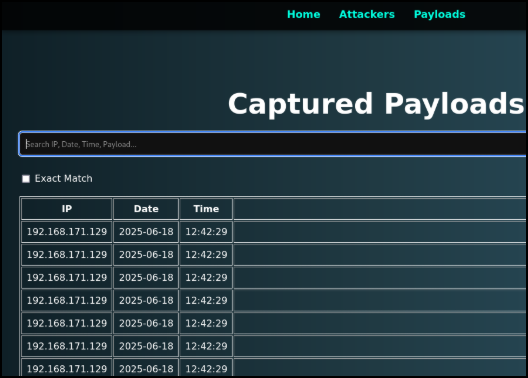
GoSpoof now comes with its own built-in website known as the “Command Center.” Here, a SOC analyst can put their honeypot.log in and receive a breakdown of what IPs are attacking the most in the “Attackers” page, as well as being able to look at payloads sent and filter by day, time, or IP in the “Payloads” page.
Our tool is lightweight, easy to use, and easy to report with. The “Attackers” page even features a pie chart to better visualize attacks.
Now, Let’s See It in Use
First, we need to pull the repo from Github:
git clone https://github.com/blackhillsinfosec/GoSpoof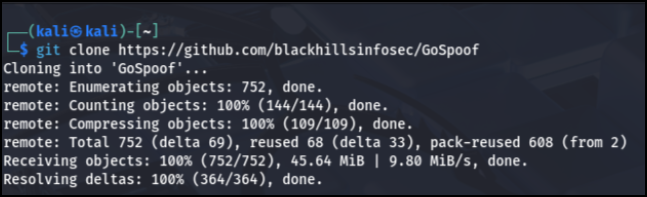
Then we cd into GoSpoof.
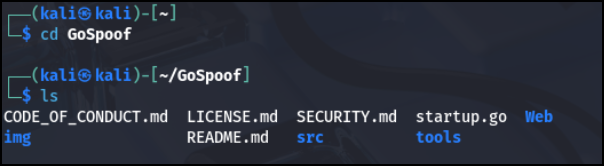
And build our Command Center with:
go run startup.goThis installs all website dependencies.
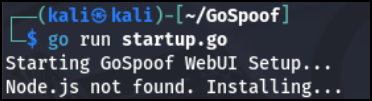
Once completed, we can cd into src, run our iptables rules, and build GoSpoof.
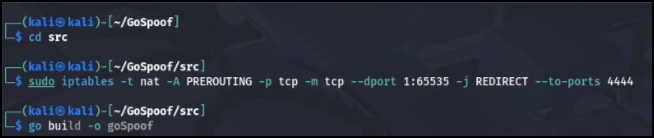
We can now use our new features to make a persistent service, launch our Command Center, and log attacks with:
└─$ sudo ./goSpoof -i 192.168.171.128 -p 4444 -s ../tools/portspoof_signatures -honey y -WebUI –boot
Attacker POV
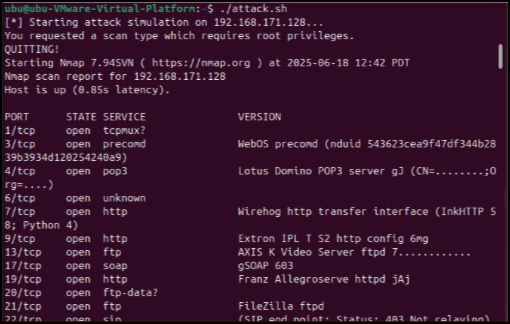
We launched an attack script and here are the results from an attacker’s point-of-view.
Nmap scan being showed fake banners:
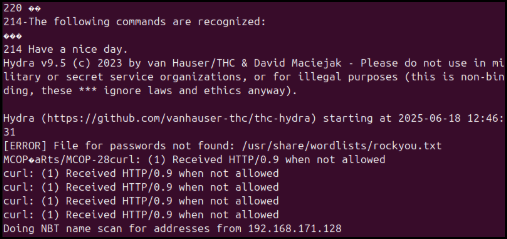
Hydra and Fuzzing fail:
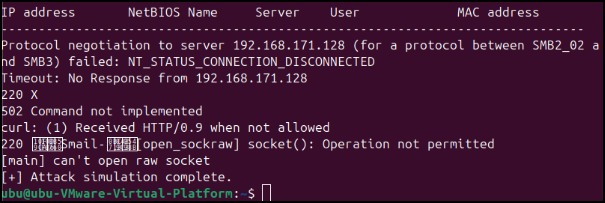
Remote bios scan fail:
Meanwhile, back to the Gospoof user’s POV, all this data is being collected and stored. Here is what you get from the terminal view:
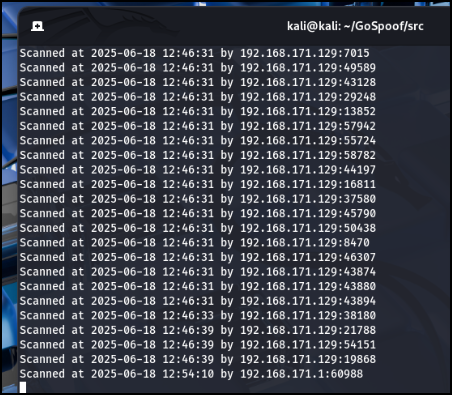
Now, let’s look at our Command Center.
Command Center
Here is our attacker page:
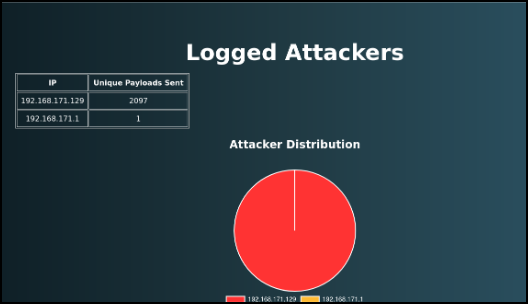
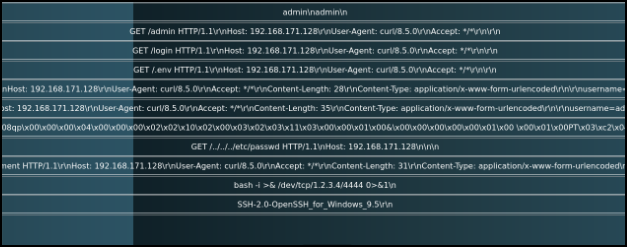
And here are a few of the attack methods and data sent as we can see in our Payloads page:
In short, GoSpoof turns the tables on would-be intruders—transforming noisy, time-consuming attacks into high-value intelligence for defenders. Lightweight, easy to deploy, and rich with actionable logs and a clean Command Center, it wastes attackers’ time, collects evidence, and gives SOC teams the context they need to respond faster and smarter. If you want to reduce attacker ROI, harden your monitoring, and gain a deception layer that scales with your environment, GoSpoof is the kind of pragmatic tool that belongs in every defender’s toolkit.
Ready to learn more?
Level up your skills with affordable classes from Antisyphon!
Available live/virtual and on-demand
