
A Practical Guide to BloodHound Data Collection

BloodHound is a tool used to enumerate Active Directory (AD) information. It is commonly employed to identify vulnerable configurations and attack paths in Active Directory. BloodHound provides a visual view of relationships between AD objects, which can be used to identify paths of domain privilege escalation.
This blog will not dive too deeply into BloodHound itself; instead, we will focus on various methods to collect AD data to provide BloodHound as input.
Data Structure
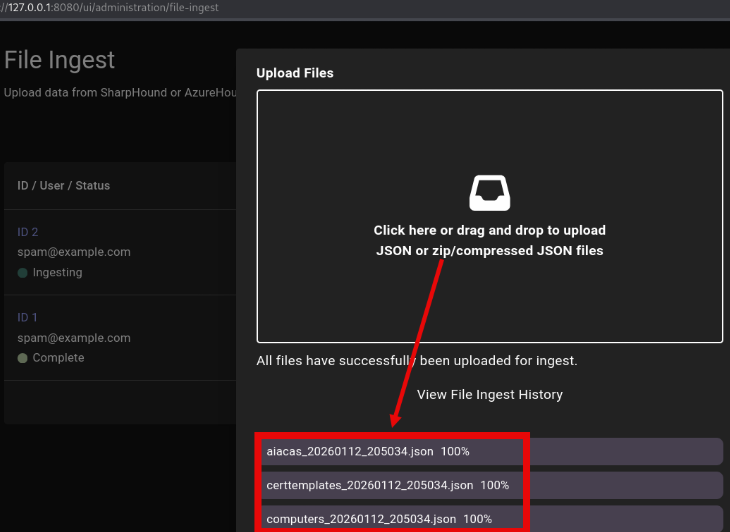
BloodHound is a graphical database that ingests data in the form of JSON blobs. Once the JSON data has been uploaded to the BloodHound database, the web interface can be used to query the database via cypher queries and map attack paths.
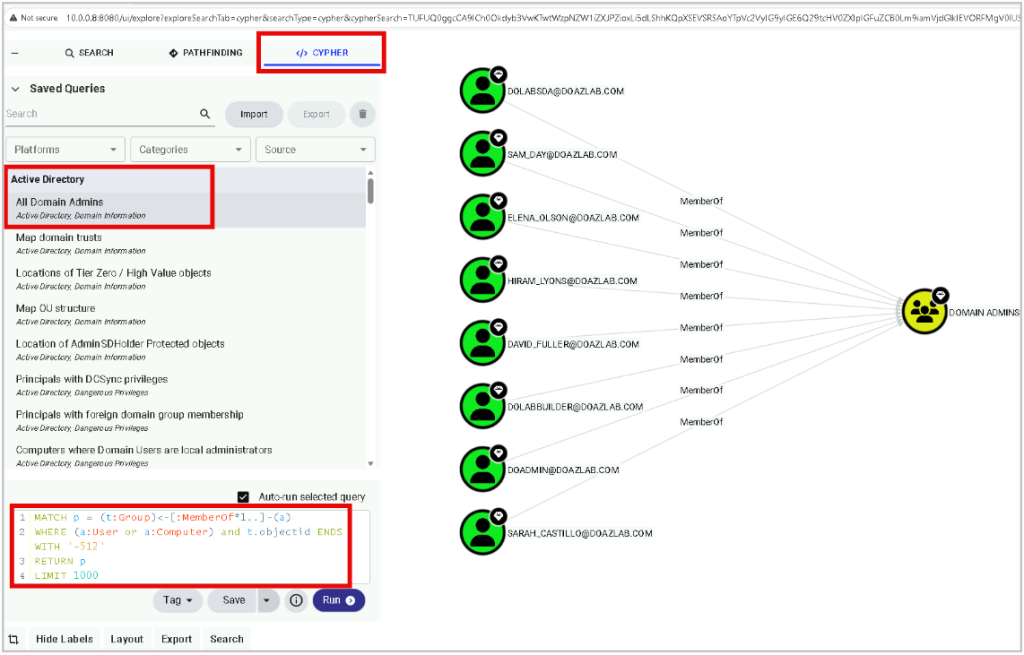
There are several built-in cypher queries that can be used by going to Saved Queries under the CYPHER tab. Simply click the built-in query to execute it. The cypher syntax for each built-in query will display when it runs. For example, you can list all domain admins.
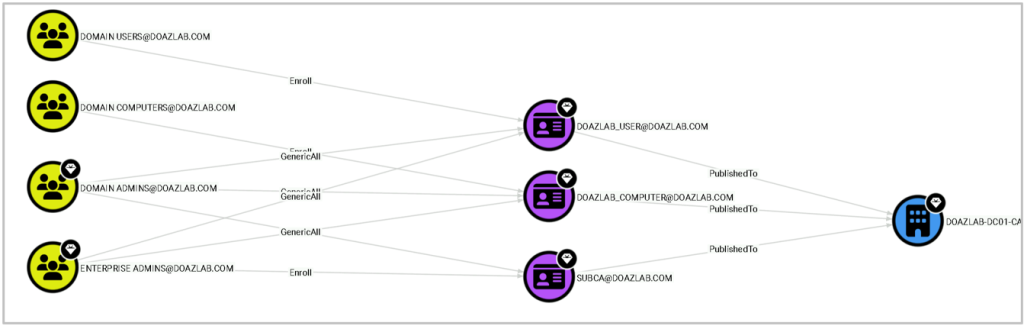
There are also built-in escalation path queries, such as built-in queries for Active Directory Certificate Services (ADCS) privilege escalation techniques. The screenshot below shows a privilege escalation path using ESC1 for the domain users and domain computers groups.
BloodHound.py
BloodHound.py is a python data collector used to enumerate Active Directory information and store the data in JSON files that can be ingested by the BloodHound UI. There are several data collection methods. In this example, we are specifying all collection methods. BloodHound.py requires valid domain credentials to execute.
python3 bloodhound.py -u USER -p 'PASSWORD' -d DOMAIN -c all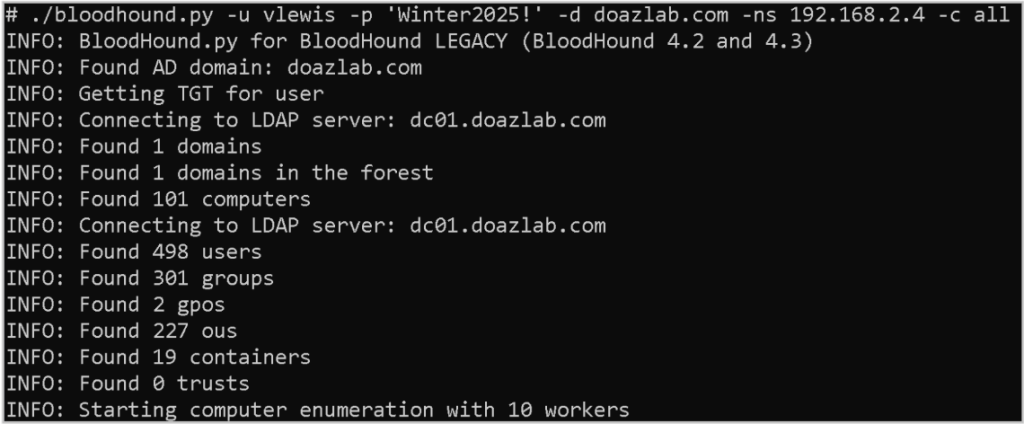
This method of collecting data is not particularly stealthy; however, it is thorough and effective. Especially when executing from a system that is running Linux and/or not domain joined.
SharpHound
SharpHound is a C# data collector written by the maintainers of BloodHound. SharpHound is intended to be executed on a domain-joined Windows system and executes in the context of the user that executes the program. No credentials have to be provided to execute the tool.
./SharpHound.exe -c All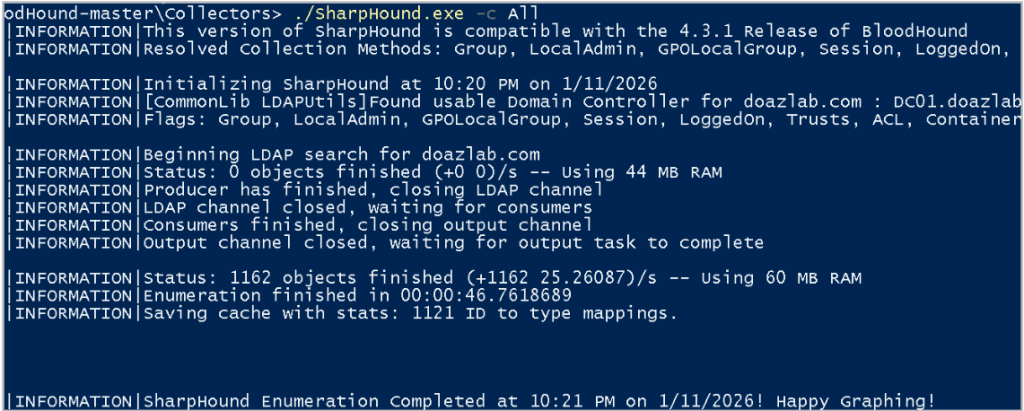
This method of collecting data is also not particularly stealthy. However, it is a useful method when you have access to a domain-joined Windows system, especially if you do not have plaintext credentials.
ADExplorer
ADExplorer is a tool used by admins to view and modify Active Directory objects. Any user with valid domain credentials can use this tool to connect to the AD database. ADExplorer is a Sysinternals tool, so it’s trusted by Microsoft, and unlike the first two methods of data collection, it would not be flagged as malicious.
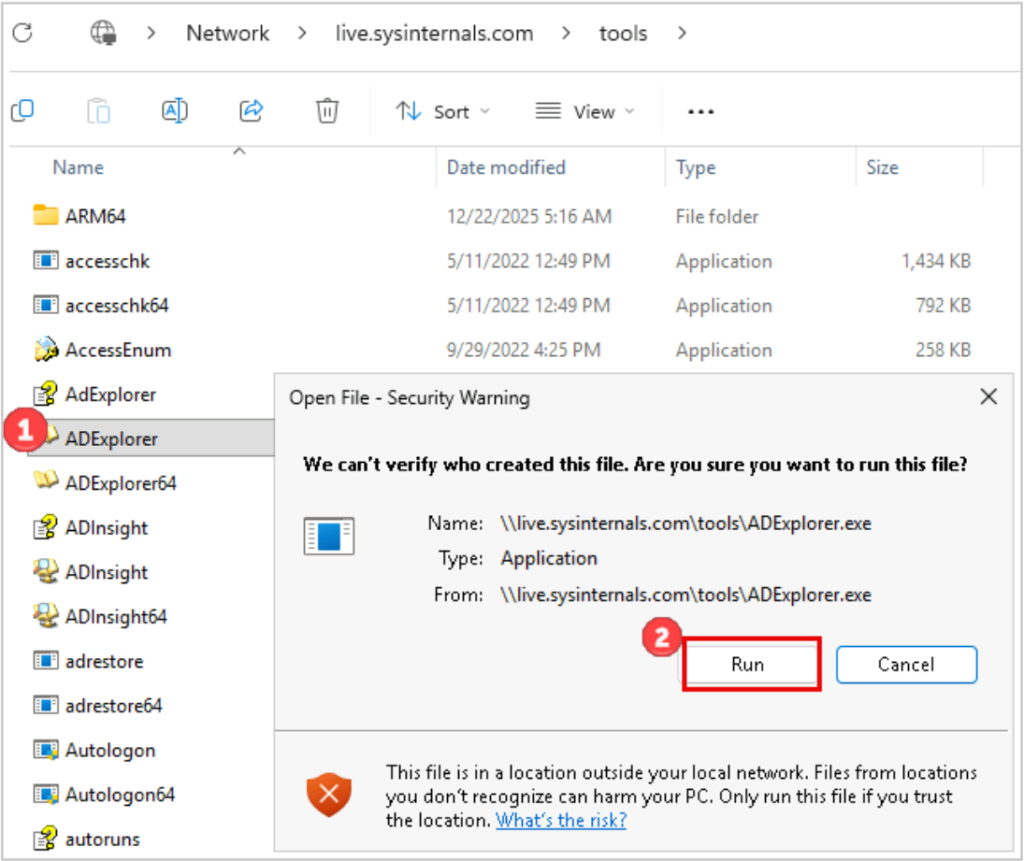
ADExplorer can accept credentials and a specific domain/domain controller, or you can simply select “OK” and ADExplorer will execute in the context of the user running the tool and connect to the domain to which the computer is joined.
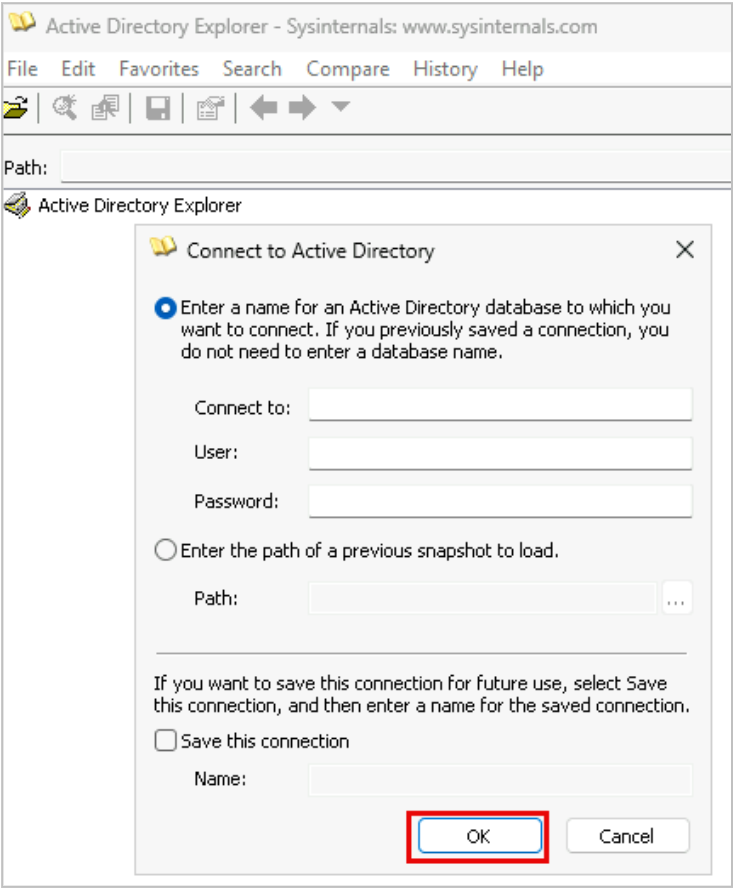
Once connected to the AD database, you can export AD data by selecting the “Save” floppy disk icon and creating a snapshot of the domain. The snapshot will be stored in a .dat file. This .dat file can be converted into BloodHound-compatible data.
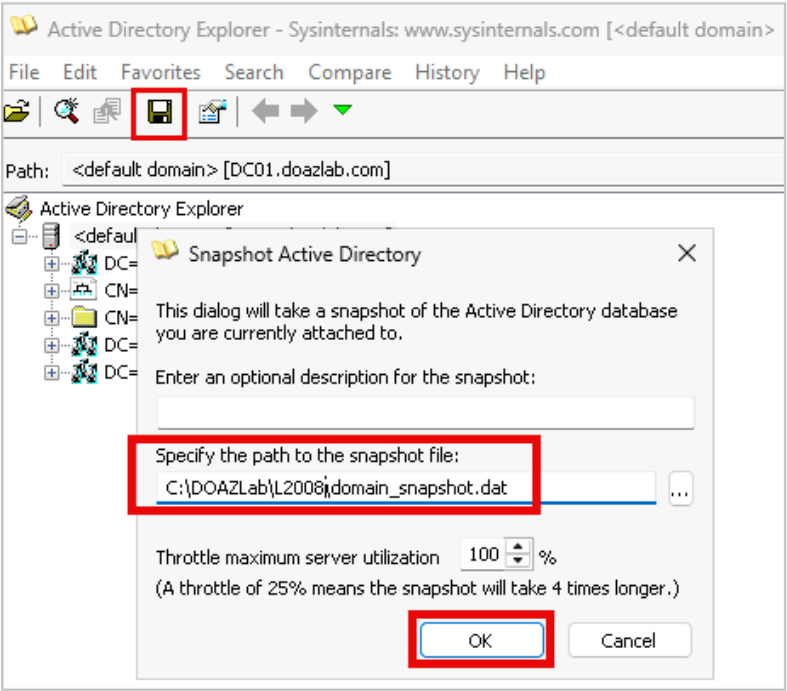
To convert the snapshot into JSON that BloodHound can ingest, we can use two tools: ADExplorerSnapshot and BOFHound. You could use ADExplorerSnapshot without BOFHound; however, during recent engagements, we’ve experienced certain issues with this conversion method alone. For example, SIDs were not appropriately resolved in the BloodHound results.
First, we’ll convert the snapshot file into a log file that can be ingested by BOFHound. BOFHound is a CLI tool “used to parse LDAP query results of various formats and process them into a format ingestible by Bloodhound.” The following command will generate a BOFHound-ingestible log file using the snapshot file obtained in the previous step.
python3 ADExplorerSnapshot.py snapshot.dat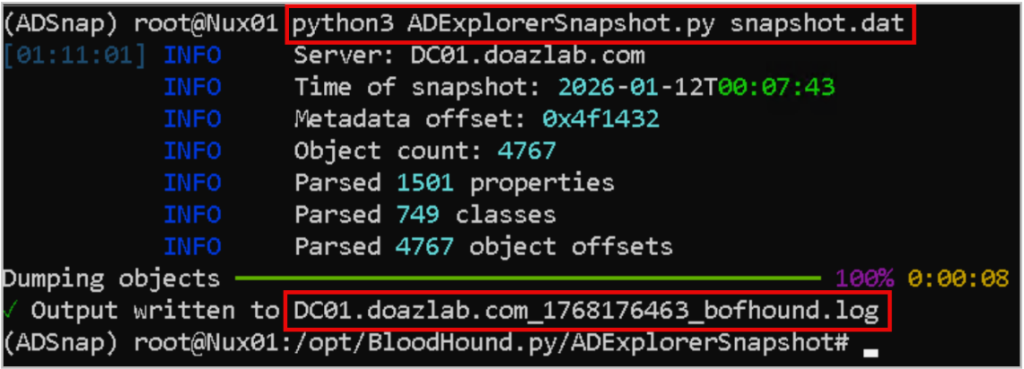
As shown in the screenshot above, the ADExplorerSnapshot script converted the snapshot into a .log file. Next, using the .log file, we can use BOFHound to format the data into JSON files to upload to BloodHound.
bofhound -i {{LOG_FILE_NAME}} --zip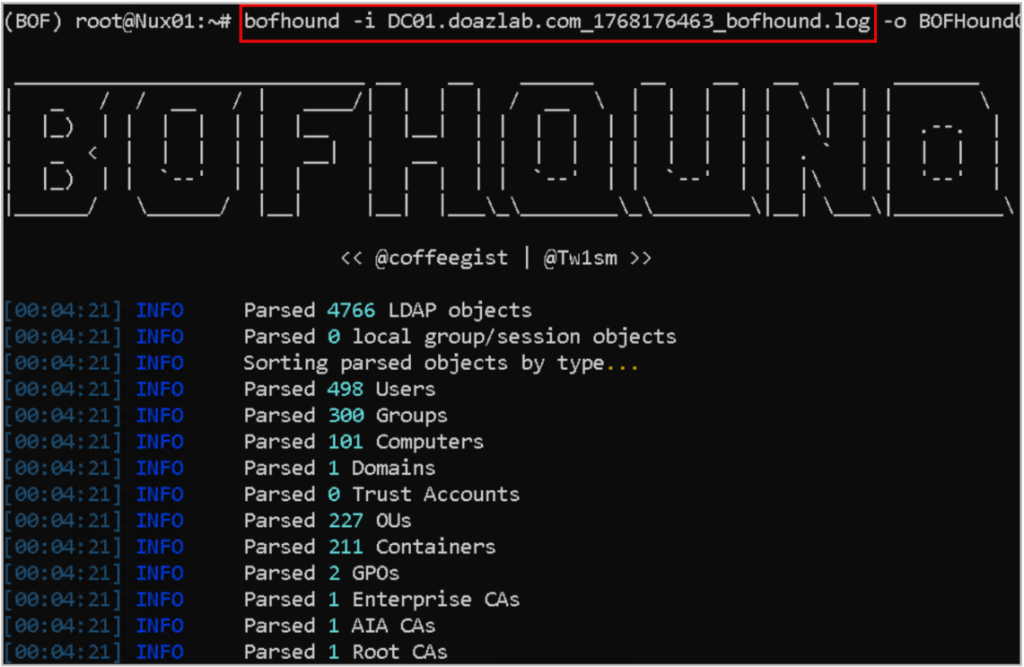
Now what?
So, we’ve enumerated AD, mapped the attack paths, and exploited issues reported by BloodHound, now what? We can use PlumHound to process the BloodHound data and create actionable reports that we can provide to the client. PlumHound outputs the results in CSV and HTML formats. To create the PlumHound reports, we must ensure that the BloodHound neo4j database is running. We will use BloodHound credentials to authenticate to the database, pull and process the data.
PlumHound has several execution modes used to generate reports.
- Tasks Mode – specify a list of tasks (cypher queries) and export to report formats HTML/CSV
- Single Query Mode – Run a single query and output to stdout
- BusiestPath Mode (BlueHound Module) – used to find escalation paths
- AnalyzePath Mode (BlueHound Module) – used to find escalation paths
To create your own task, create a .tasks file containing the following information.
["Report Title","[Output-Format]","[Output-File]","[CypherQuery]"]There are several built-in task files for specific tasks that exist already. In this example, we used the “default tasks” to generate reports. However, you can provide PlumHound with individual “tasks”.
python3 PlumHound.py -x tasks/default.tasks -u USER -p PASSWORD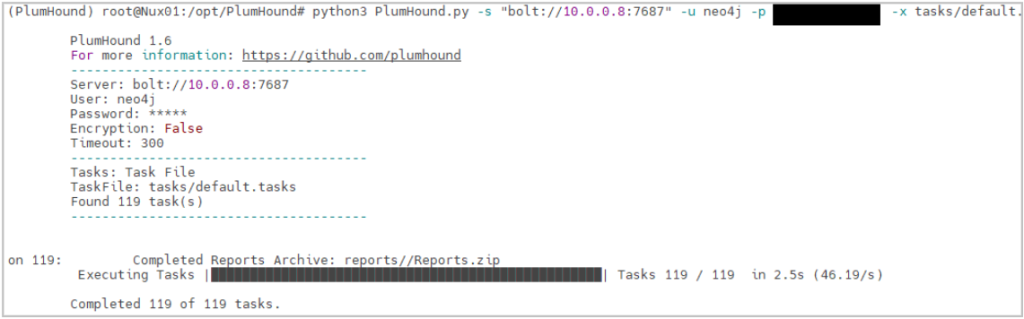
The following screenshot displays the partial results for the “Overview” report generated using the default tasks.
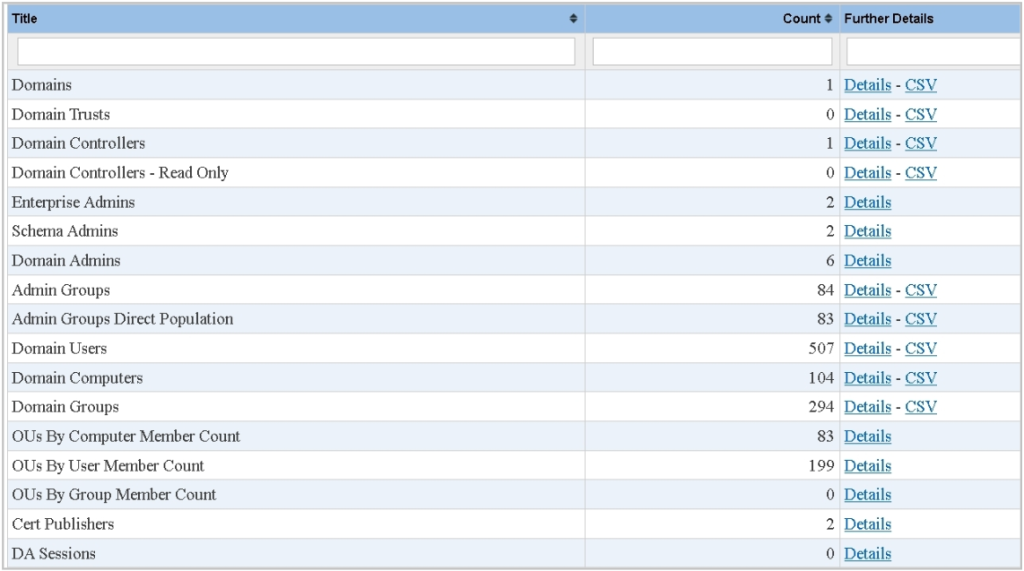
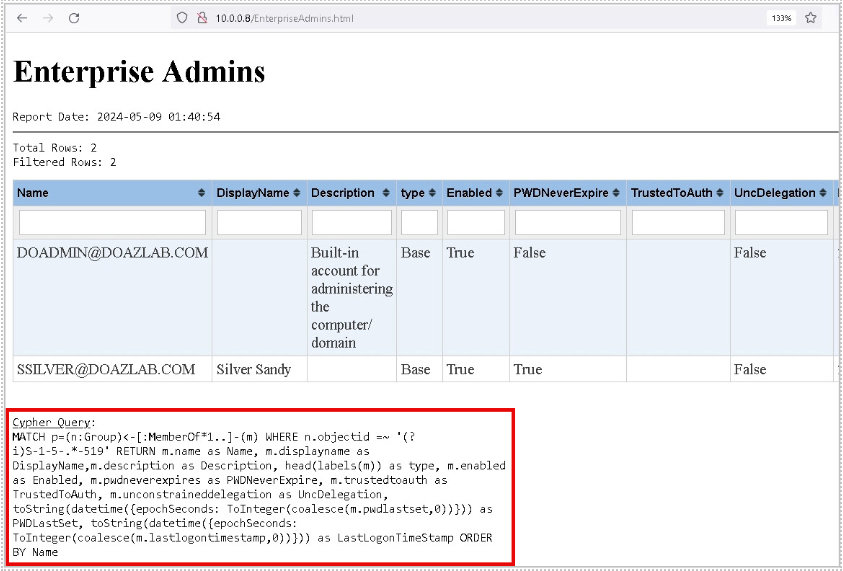
You can click on each individual report’s “Details” to obtain more information. You can also filter by certain values in the columns. For example, you can filter for “enabled” accounts. In addition, PlumHound includes the cypher queries used to generate the report at the end of each report.
Summary
- BloodHound is a useful resource for identifying misconfigurations and privilege escalation paths in Active Directory.
- There are multiple methods that can be used to collect BloodHound data, and one may be more favorable for a particular situation than another.
- PlumHound is a great tool to use post-test to help create actionable lists and reports that are deliverable to a customer.
- If you would like to learn more about AD exploitation and how to detect such activities, check out the resources below.
Resources
- https://github.com/AssumedCompromise/Resources
- https://www.youtube.com/live/pyyaeHlAYFE
- https://www.youtube.com/live/nBHec3RDzwY
Tools
- https://github.com/PlumHound/PlumHound
- https://bloodhound.specterops.io/home
- https://github.com/coffeegist/bofhound/
- https://github.com/c3c/ADExplorerSnapshot
- https://learn.microsoft.com/en-us/sysinternals/downloads/adexplorer
Related Antisyphon Courses
- https://www.antisyphontraining.com/product/assumed-compromise-a-methodology-with-detections-and-microsoft-sentinel/
- https://www.antisyphontraining.com/product/active-directory-security-and-hardening-with-jordan-drysdale-and-kent-ickler/
Ready to learn more?
Level up your skills with affordable classes from Antisyphon!
Available live/virtual and on-demand
