
Deceptive-Auditing: An Active Directory Honeypots Tool
by Sean Minnick || QC Automation Support Intern
Tool GitHub: https://github.com/SeanMinnick/Deceptive-Auditing
Deceptive-Auditing is a tool that deploys Active Directory honeypots and automatically enables auditing for those honeypots. This complete tool is based on two previous projects, Set-AuditRule and Deploy-Deception, created by Roberto “Cyb3rWard0g” Rodriguez, and Nikhil “SamratAshok” Mittal. Nikhil Mittal has his own personal blog where he writes about the original tool (https://www.labofapenetrationtester.com/2018/10/deploy-deception.html). I merged these tools into one complete function set and added some more functionality.
In this blog, I’ll go over how to use this tool to set up a deceptive Active Directory environment.
Each object in Active Directory has a SACL (System Access Control List) and DACL (Discretionary Access Control List). Both ACLs hold ACEs (Access Control Entry) which determine permissions for object and auditing for the object. The DACL will determine who can access the object: User1 can read the object, User2 can modify the object, etc. The SACL controls auditing, alerts if anyone reads the object, alerts if anyone modifies the object, etc. Adding ACEs to the SACL can be done manually; this tool allows you to automate that process and create PowerShell scripts that automatically create or remove ACEs from an objects SACL.
The tool itself is a set of PowerShell cmdlets that can be imported into your PowerShell session. The backbone of the function set is Set-AuditRule. This is a merged function that allows you to audit AD objects, registry keys, or any type of file. This is used internally by all deployment functions to set up auditing. It’s also pretty simple to use on its own. Below, I have an example of using it on a text file to set up auditing.
Set-AuditRule -FilePath "C:\Windows\depdec\Test.txt" -WellKnownSidType WorldSid -Rights Read -InheritanceFlags None -PropagationFlags None -AuditFlags Success 
- When setting an audit rule for files, it’s important that the first parameter used is –FilePath; this sets up the dynamic parameters for files specifically.
- -WellKnownSidType specifies who the audit rule applies to. SIDs (Security Identifiers) in Active Directory are standardized identifiers used by the Windows operating system to represent specific users, groups, and service accounts. These SIDs are consistent across all installations of Windows. In this example, WorldSid applies this audit rule to everyone—nobody is exempt from auditing—however, any well-known SID can be used in place.
- The -Rights parameter specifies which action to audit. In this example, it’s auditing when anyone (WorldSid) reads the file.
- The -InheritancFlags parameter specifies whether the audit rule should be inherited by the object’s children. Although this doesn’t apply to this file, it’s important for other filesystem auditing. More specifics on how to use this parameter can be found in the README.
- -PropogationFlags specifies how the audit rule is inherited only if -InheritanceFlags is used.
- Finally, AuditFlags is set to success, meaning the audit rule will trigger when someone successfully reads the file.
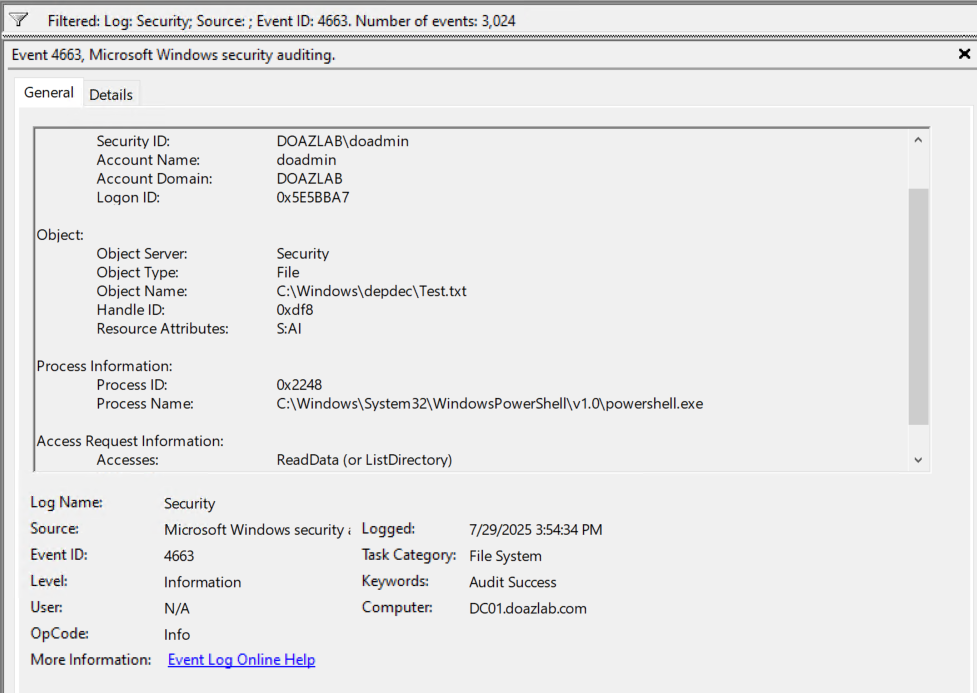
The code for these file system events is 4663. After using Get-Content to “read” the contents of the file you can see the event in event viewer.
This same principle works for registry keys.
Set-AuditRule -RegistryPath "HKLM:\SOFTWARE\TestAuditKey" -WellKnownSidType WorldSid -Rights ReadKey -InheritanceFlags None -PropagationFlags None -AuditFlags Success 
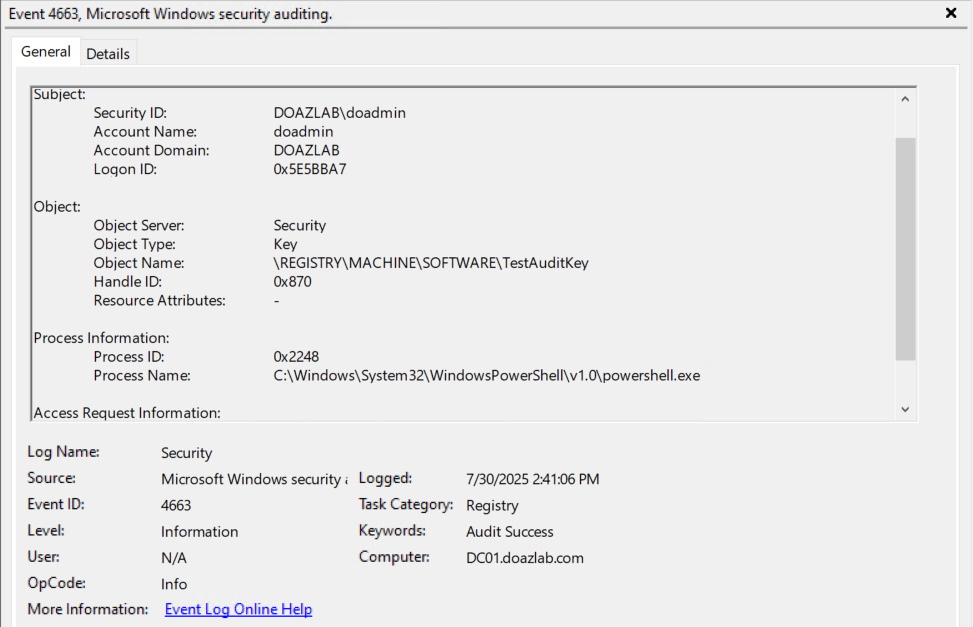
For each of these cases, Set-AuditRule is finding the object, grabbing its SACL, and creating a custom ACE to add for auditing. This is a helper function for the rest of the script and allows the deception functions to modify SACLs.
For all other AD objects, there are two joint functions that work together to create new, deceptive, audited honeypots. The first is New-DecoyUser, which works together with Deploy-UserDeception. When deploying a deceptive user, you must specify a first name, last name, and password. You can optionally link the user to a specific OU.
New-DecoyUser -UserFirstName Admin -UserLastName Backup -Password StrongPass123 -OUDistinguishedName "OU=Decoys,DC=domain,DC=com”" 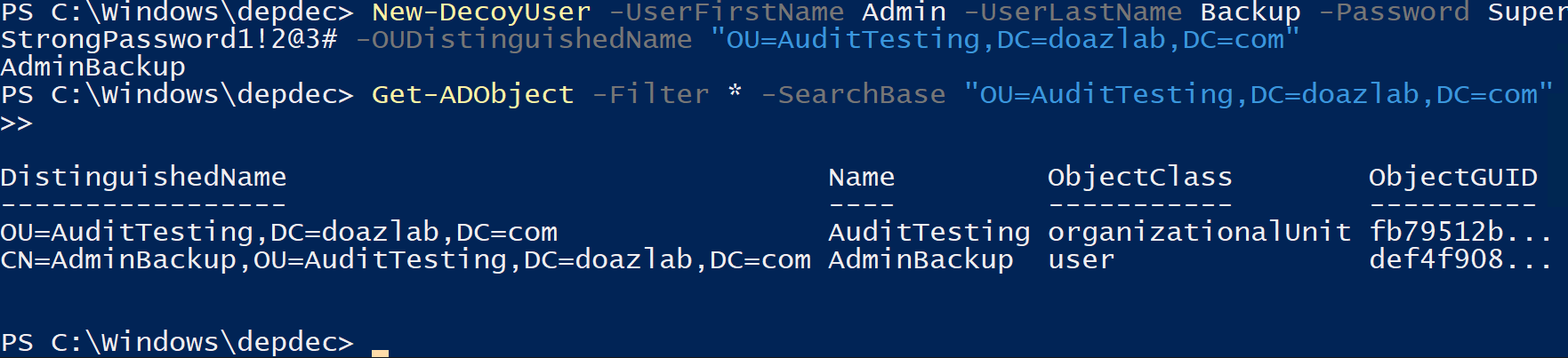
After creating a user with New-DecoyUser, or having a previous user you would like to audit, you can run Deploy-UserDeception.
Deploy-UserDeception -DecoySamAccountName "AdminBackup" -UserFlag AllowReversiblePasswordEncryption -Right ReadProperty 
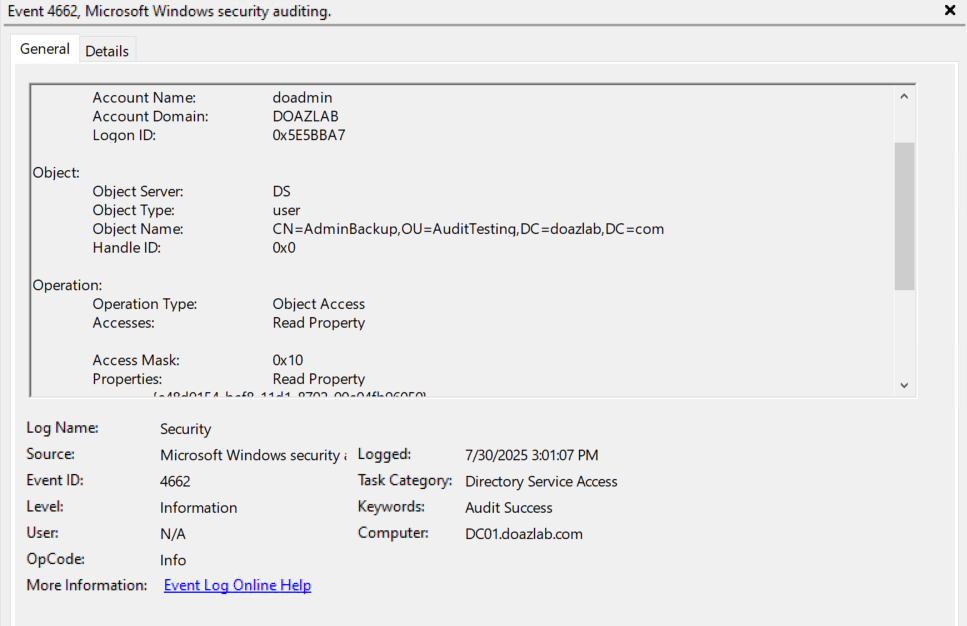
Once applying the audit rule with Deploy-UserDeception, any attempt to enumerate the user will trigger a 4662 event, pictured below.
Deploy-UserDeception has some parameters to make this user more appealing. The UserFlag parameter has multiple options.
- -DoesNotRequirePreAuth : Disables Kerberos pre auth for the account, making it vulnerable to kerberoasting.
- -AllowReversiblePasswordEncryption : Allows the user’s password to be stored in a reversible encrypted form.
- -PasswordNeverExpires : Sets the password to never expire.
- -TrustedForDelegation : Marks the account as trusted for unconstrained delegation, which allows services to impersonate user accounts.
- -TrustedToAuthForDelegation : Allows the account to impersonate other delegation enabled accounts.
There is also a parameter –PasswordInDescription which (believe it or not) places a password in the description of the user. Along with these, the –SPN parameter allows you to tie the user to an intriguing Service Prinicpal Name.
If you want to set up a privileged decoy user, there is a separate function called Deploy-PrivilegedUserDeception. This function contains a –Protection parameter which allows you to apply DenyLogon. Since this account cannot be logged into, there are two new parameters called –CreateLogon and –LogonCount to simulate activity on this false account. With these protections, you can add this user to domain admins or enable the rights required to execute a DCSync attack. DCSync is a technique where a user with specific rights can simulate a Domain Controller and request hashes from any user. This parameter gives this decoy those rights to make it more intriguing to attackers.
Deploy-PrivilegedUserDeception -DecoySamAccountName "decda" -Technique DomainAdminsMembership -Protection DenyLogon -CreateLogon The same workflow applies to New-DecoyComputer. You can add a computer by specifying the computer name, and optionally selecting which OU to place the computer in.
New-DecoyComputer -ComputerName FakeServer -OUDistinguishedName "OU=AuditTesting,DC=doazlab,DC=com" 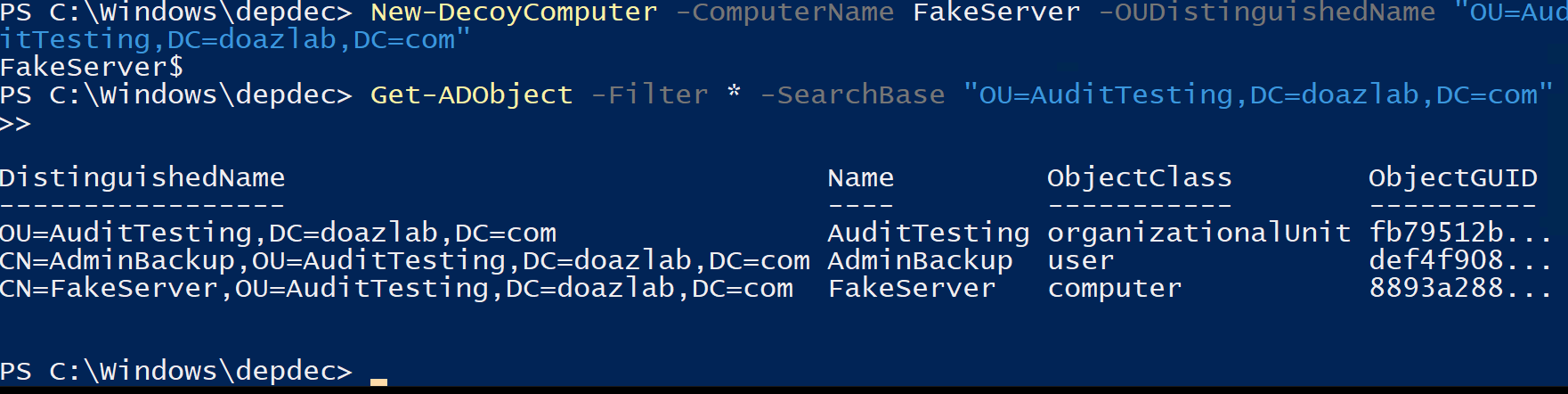
Deploy-ComputerDeception has many similarities to Deploy-UserDeception, with a few outliers.
- -OperatingSystem : Optionally assign an operating system to this computer, could assign a legacy OS to show vulnerability.
Deploy-ComputerDeception also has an –SPN parameter to assign Service Principal Names.
Deploy-ComputerDeception -ComputerName "FakeServer" -OperatingSystem "Windows Server 2003" -Right ReadProperty 
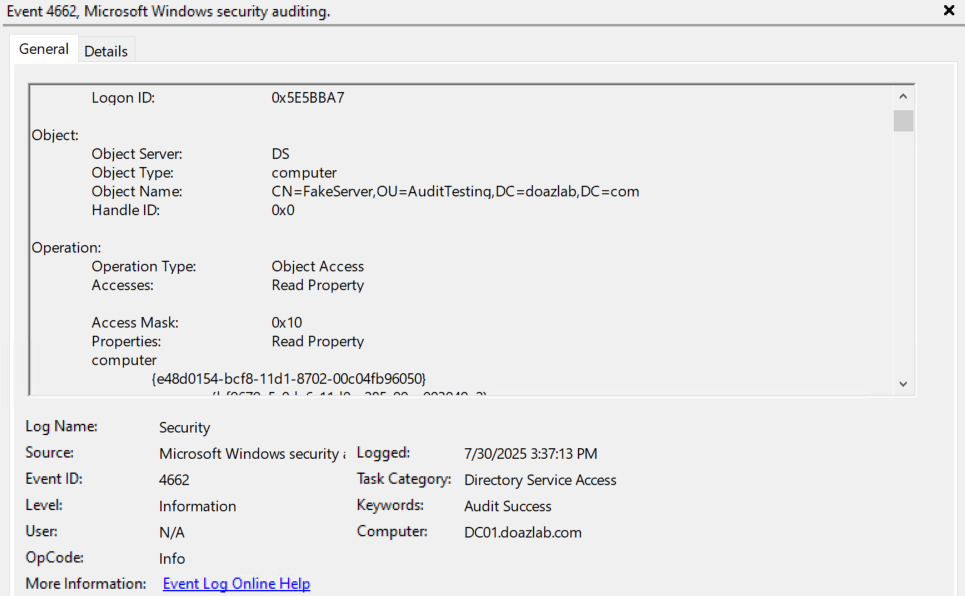
With computers and users, you have to be able to create decoy groups. New-DecoyGroup provides the basic setup, allowing you to specify –GroupName and –GroupScope.
New-DecoyGroup -GroupName "DecoyAdminUsers" 
Deploy-GroupDeception has a few unique parameters to go over.
- -AddMembers : Optional parameter that allows you to list users to add to the group.
- -AddToGroup : Optional parameter that allows you to nest a decoy group inside another group.
Deploy-GroupDeception -DecoyGroupName "DecoyAdminUsers" -AddMembers "AdminBackup" 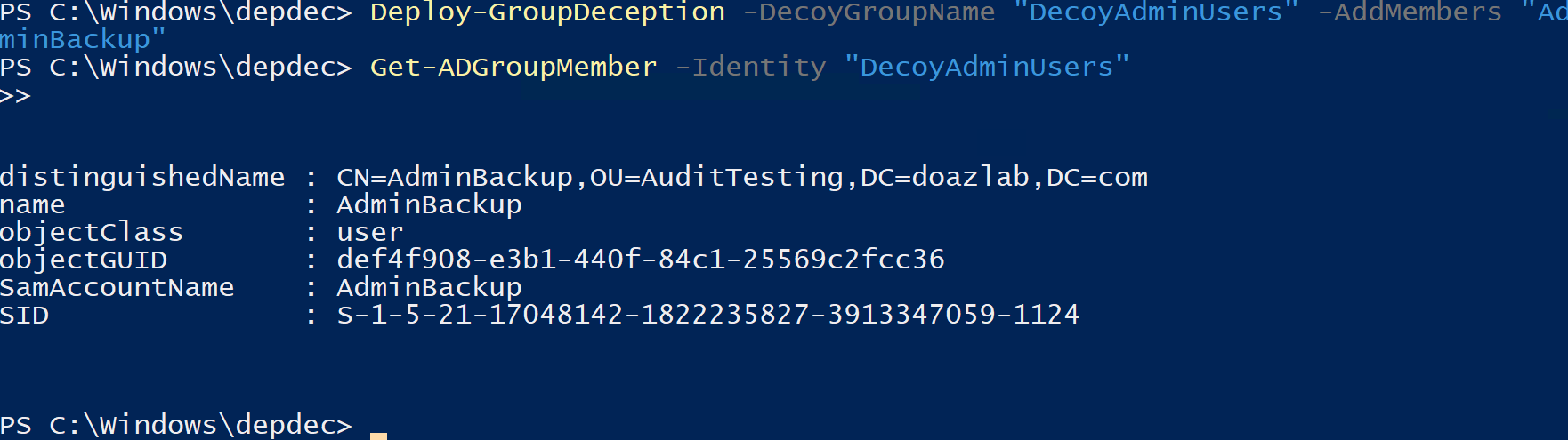
You can see after running Deploy-GroupDeception with the –AddMembers parameter we can add our decoy user from before into this group automatically. This also automatically sets up audit rules for both the group and the user.
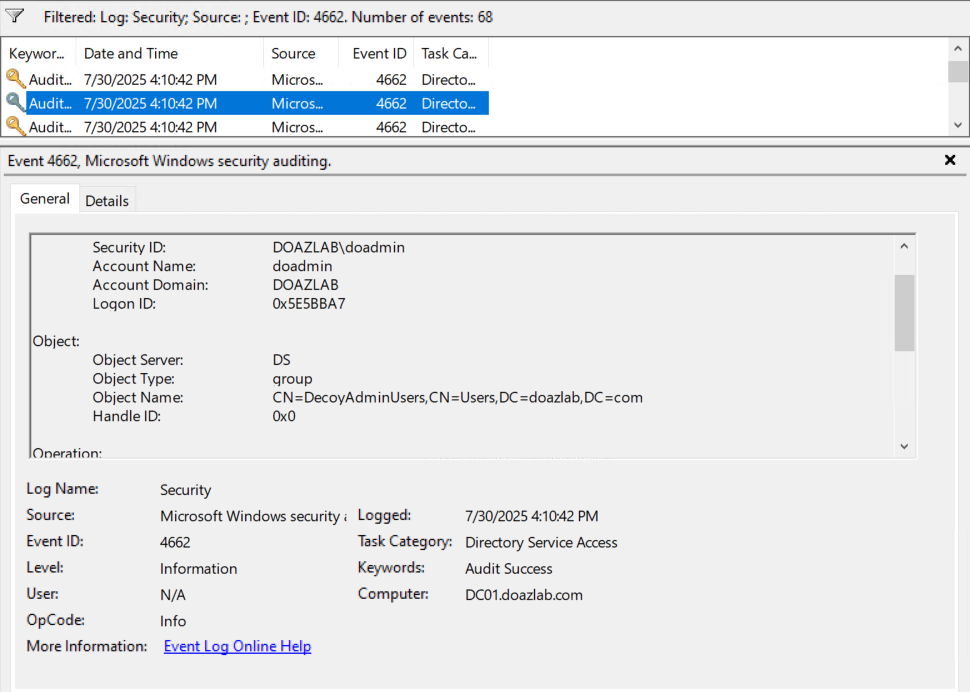
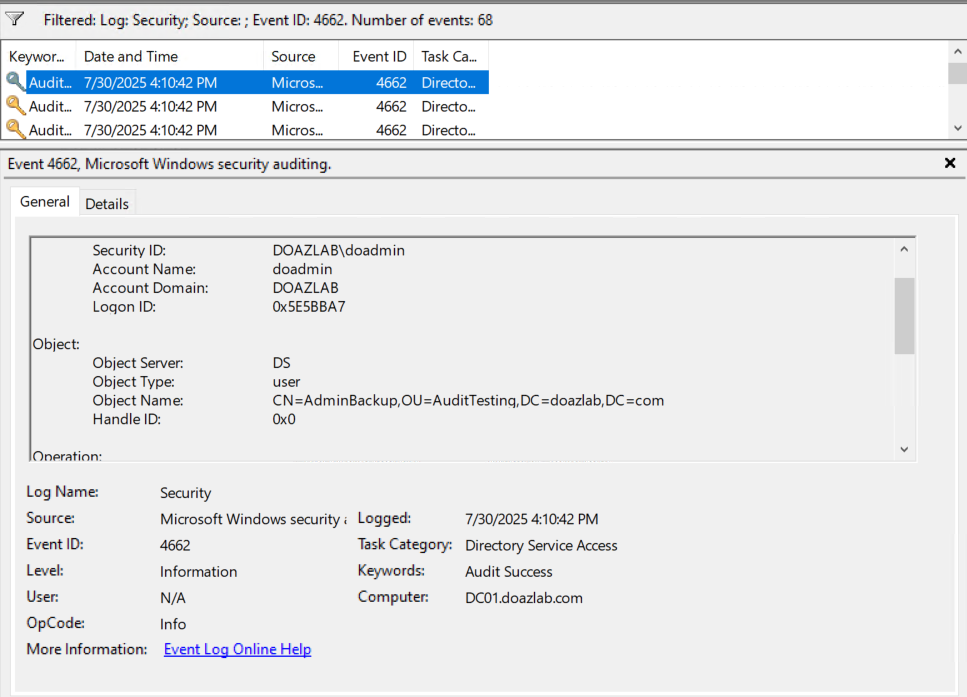
On top of these functions, I added a few new ones to increase total functionality, the first of which is New-DecoyOU. This function creates the OU and allows you to specify a parent for it.
New-DecoyOU -OUName "ChildOU" -ParentDistinguishedName "OU=AuditTesting,DC=doazlab,DC=com" 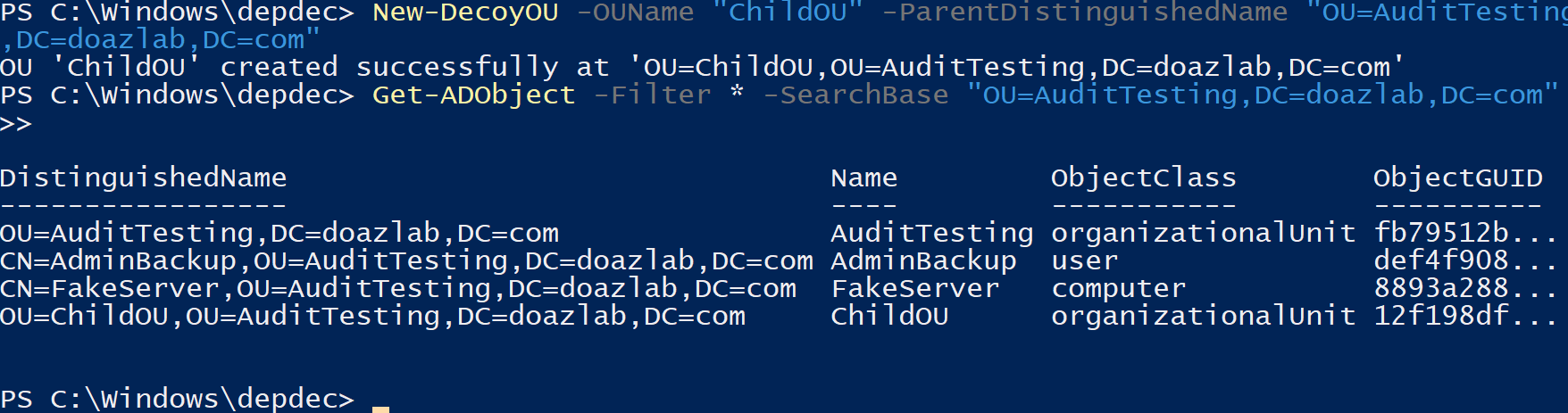
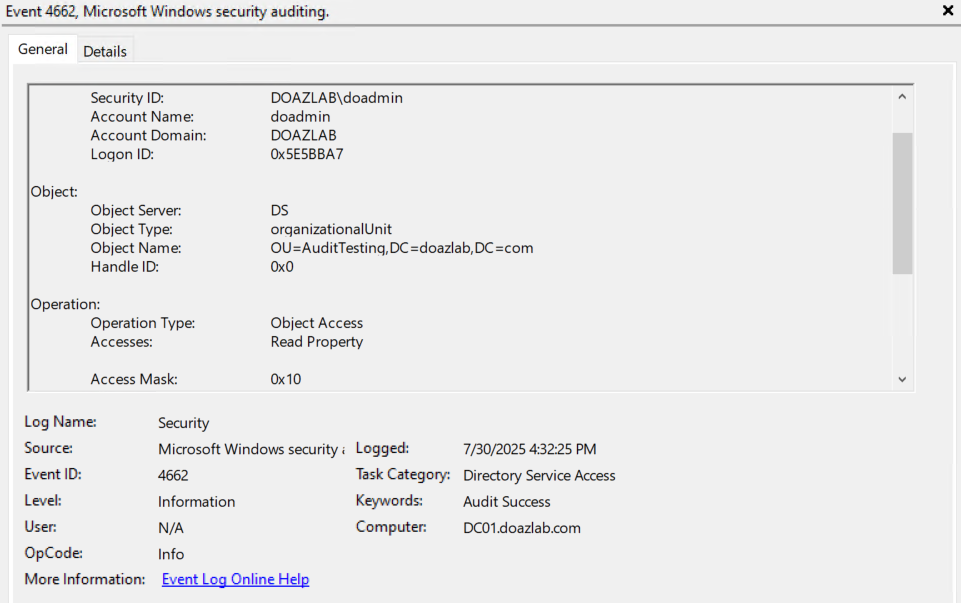
This is, of course, linked to Deploy-OUDeception. When using Deploy-OUDeception, there are a lot of the same parameters as usual. One honorable mention is –InheritanceFlags which allows you to specify audit rule inheritance for objects within the OU.
Deploy-OUDeception -OUDistinguishedName "OU=AuditTesting,DC=doazlab,DC=com" -Right ReadProperty 
After OU’s, one of my favorite parts of this function set is the New-DecoyGPO, and Deploy-GPODeception.
When creating a new decoy GPO, there are a few unique parameters at your disposal. The basics are –Name, -Comment, and –TargetOU, where you can specify the name of the GPO, add a description, and specify which OU you’d like to link the GPO to. There is also the –MakeReadable flag, which makes the GPO fully readable to any authenticated user. This is added to bait automated AD scanning and enumeration.
New-DecoyGPO -Name "OldSecPol5" -Comment "Legacy config - under review" -TargetOU "OU=AuditTesting,DC=doazlab,DC=com" 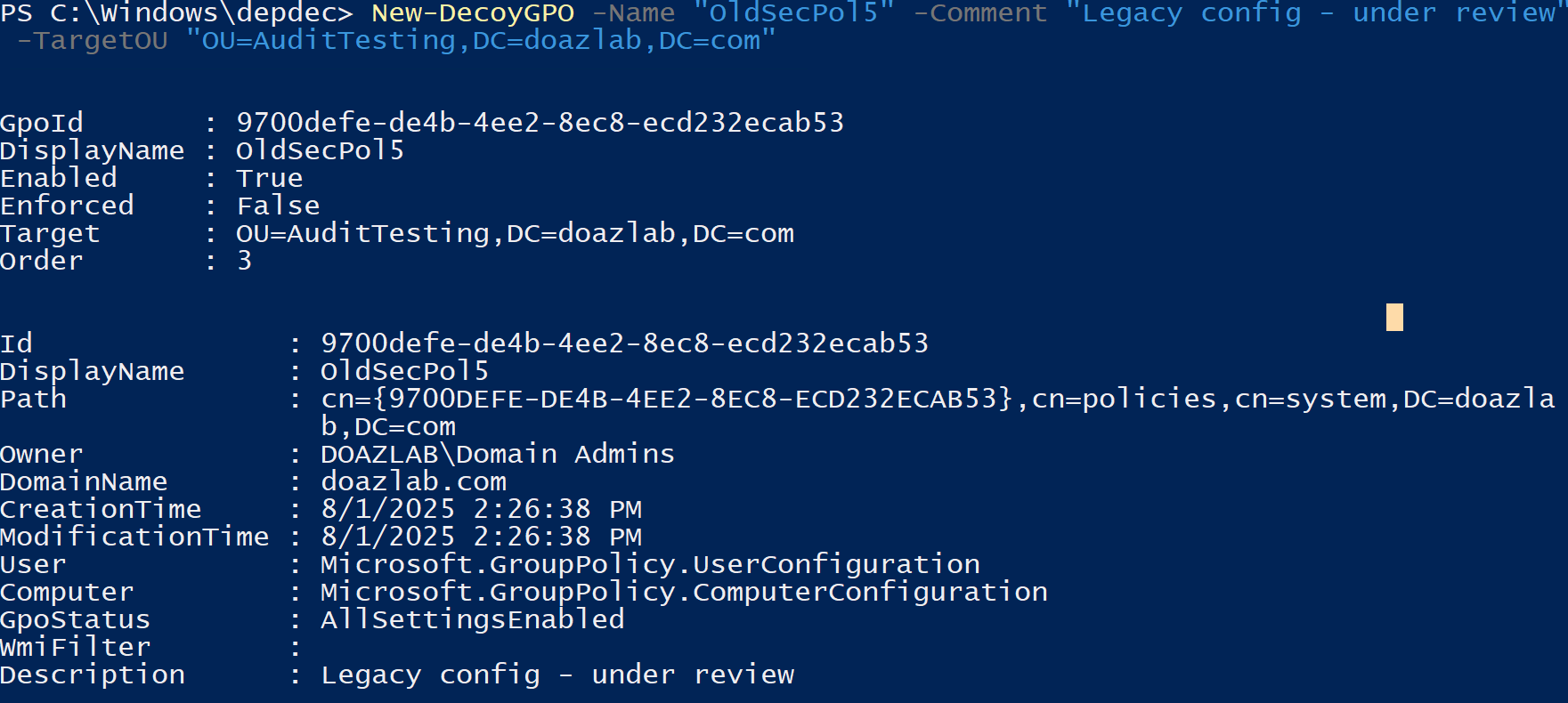
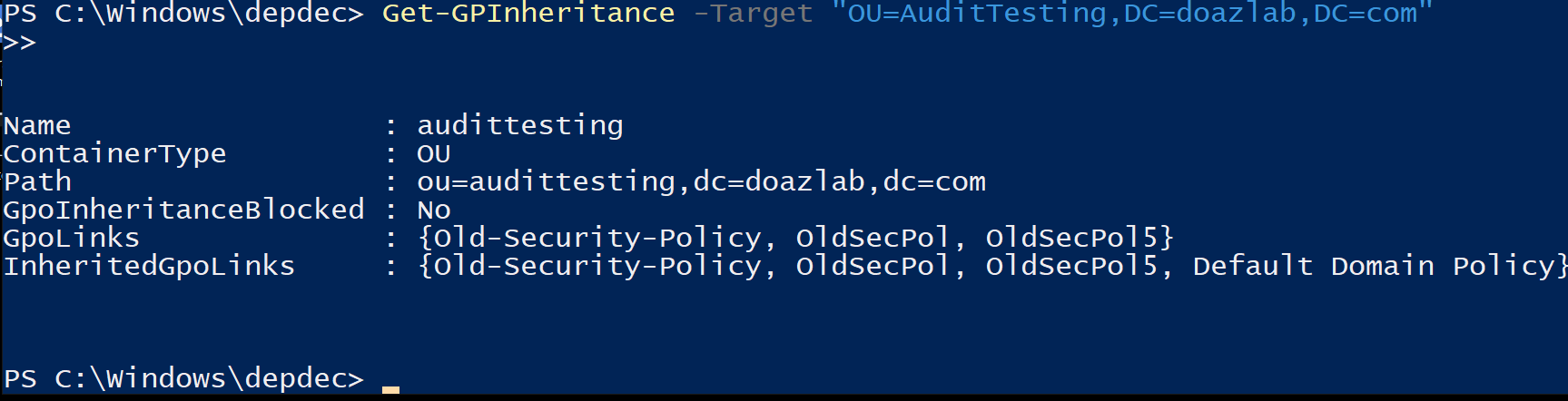
Once the GPO is created and linked wherever you’d like, you can run Deploy-GPODeception.
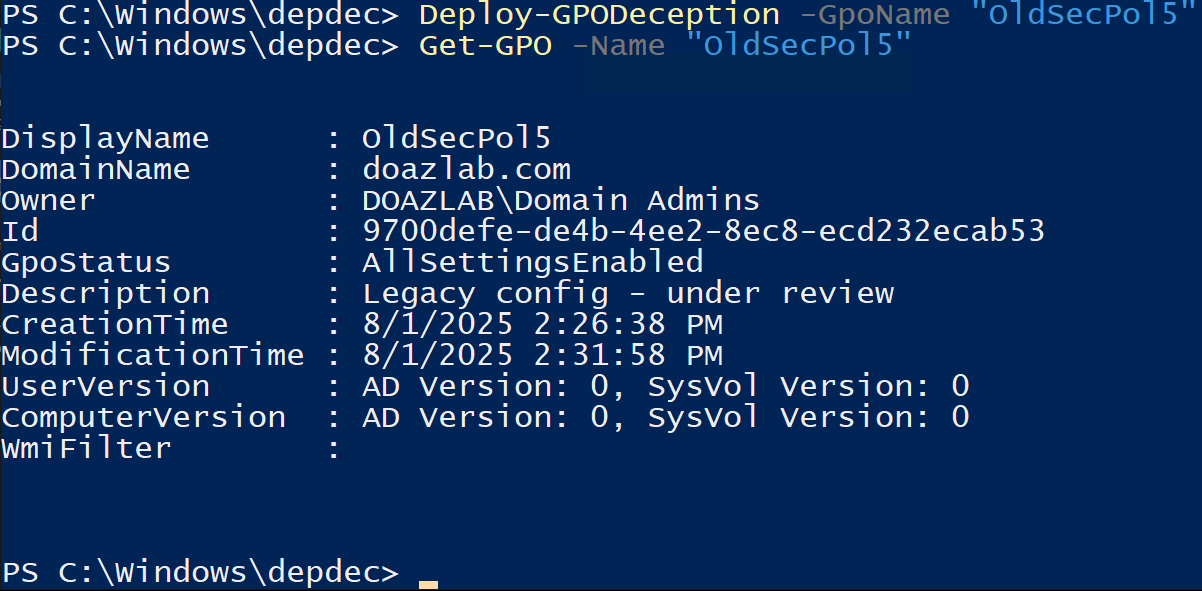
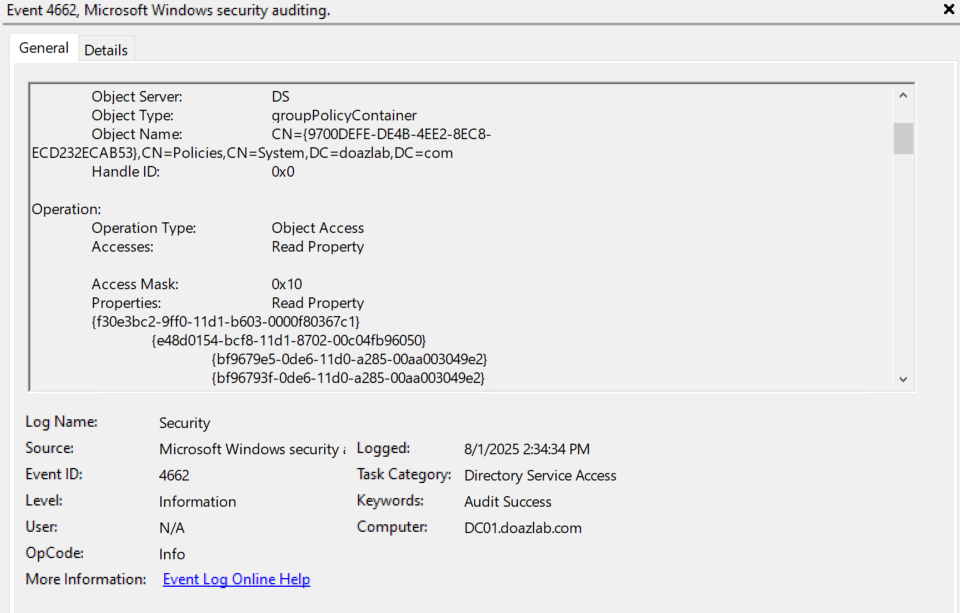
All together, this tool allows domain admins to set up deceptive traps in their Active Directory environment, baiting adversaries into revealing themselves. Domain Admins can create custom scripts using these functions to deploy new honeypots over time, and pair that with native PowerShell to show fake activity to make them even more appealing. This tool can also be used to quickly fill out AD lab environments with fake objects.
As time goes on, I will be creating preset deployment scripts that can deploy an entire environment at once, as well as updating and expanding this tool as much as I can. I highly recommend reading Nikhil Mittal’s original blog, as he goes into detail on the philosophy behind honeypots, and how red and blue teams can work around them.
Ready to learn more?
Level up your skills with affordable classes from Antisyphon!
Pay-Forward-What-You-Can Training
Available live/virtual and on-demand
