Signed, Trusted, and Abused: Proxy Execution via WebView2

In today’s rapidly evolving digital landscape, Windows and its ecosystem of applications are transforming faster than ever, often leaving the door open for new exploitation techniques. Microsoft Edge WebView2 Runtime, with its presence on hundreds of millions of Windows endpoints, is an integral part of this attack surface and has gone largely unnoticed by both defenders and attackers. This article provides an offensive security perspective on Microsoft Edge WebView2 Runtime, including architectural weaknesses, existing vulnerabilities, and exploitation methods.
Windows Apps
Modern “Windows Apps” are Store‑delivered, sand-boxed applications built as a container for a web-based application that can run on a Windows endpoint as standalone executable. This differs from traditional applications that require first installing a series of files and dependencies onto the endpoint before being used. A Windows App is lighter in size and faster (operating as if it were a web app). This shifts to signed/trusted applications that offer runtime integrity safeguards, Smart App Control, and clearer permission prompts—reducing risks from legacy installers, COM add‑ins, dropped drivers, or third-party dependencies.
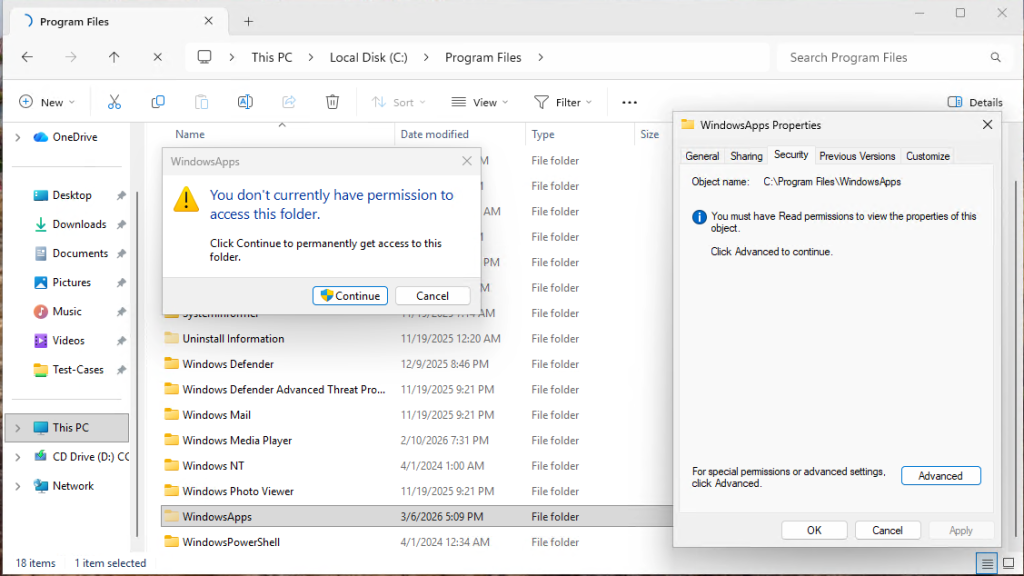
In Proxying Your Way to Code Execution – A Different Take on DLL Hijacking I talk about how these applications “do not have any third-party or external addons that reside in user-controlled areas (i.e. Appdata), it’s not possible to do any DLL hijacking attacks in the traditional sense. Even with elevated permissions, it’s not possible to access or write to these folders.”
Windows Apps are becoming more common and replacing legacy applications. This includes business applications as well as default applications that come on all Windows 10 and 11 systems. Some examples are:
- Outlook for Windows (olk.exe)
- Word.exe
- Excel.exe
- Ms-Teams
- Edge Browser
- M365Copilt
- Photos
- Calculator
- Media player
- Spotify
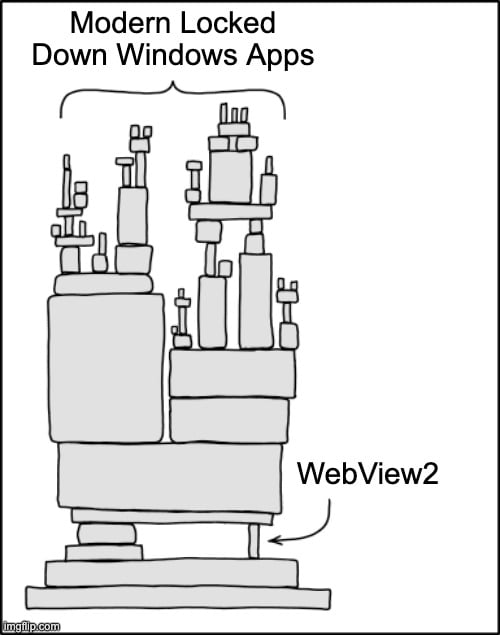
These apps work great in running their content as an isolated container, but all depend on Microsoft Edge WebView2 Runtime, which opens an attack vector.
What is WebView2?
The Microsoft Edge WebView2 Runtime is a Chromium-based browser engine that can be utilized by Windows applications to render the web content without the requirement of opening a new browser window or loading an external web application. This enables the execution of web applications locally without the need to port them into a conventional GUI-based Windows application that requires an extensive installation process, thus enabling the integration of web technologies such as HTML, CSS, and JavaScript into Windows applications without the requirement of opening the browser window. This enables:
- Displaying dynamic web content inside apps.
- Reusing web-based UI components.
- Ensuring consistent rendering across platforms.
What Makes WebView2 Problematic?
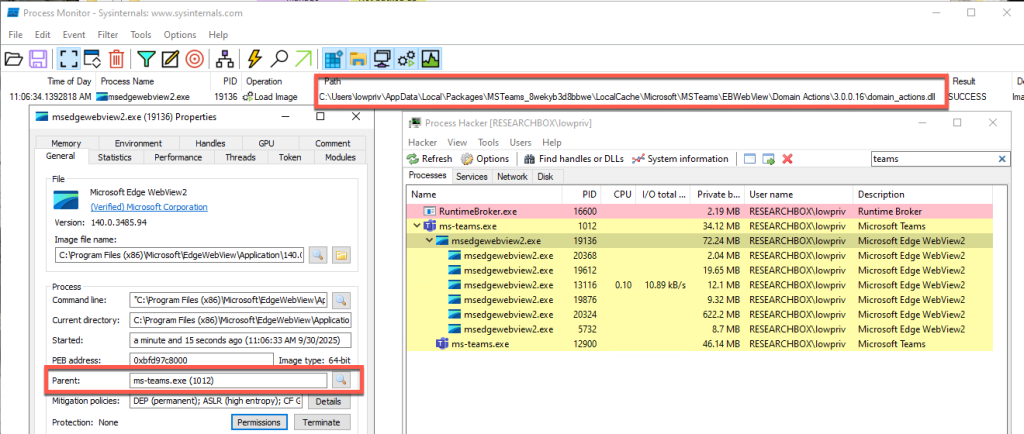
So why do we care about this? From an attacker’s perspective, WebView2 presents an interesting target. These Windows Apps are “self-contained” to prevent the loading of third-party add-ons or requiring external libraries, while relying on WebView2 to render the application; but WebView2 is not designed in the same way. This means that despite their strengths, Windows Apps are still susceptible to DLL sideloading because WebView2 is susceptible to DLL sideloading attacks. More specifically, this is due to a DLL called domain_actions.dll.
The domain_actions.dll is a Microsoft‑signed DLL that is part of Microsoft Edge Domain Actions Component, a library used internally by Edge to support domain‑related logic inside the browser and any application that embeds the WebView2 engine. While documentation on this library is limited, this DLL:
- Handles domain reputation checks
- Manages security policy decisions involving domains
- Supports Microsoft SmartScreen-like mechanisms
- Executes domain‑based actions required by the browser or embedded web views
Necessary, Hidden, and Vulnerable
Because Windows Apps rely on msedgewebview2.exe to render embedded web content, domain_actions.dll is loaded by the Windows Apps when they spawn msedgewebview2.exe as a child process. The problem with this is that domain_actions.dll exists outside of the sand-boxed application and is installed and loaded from a user-writable directory under %LocalAppData%. This means that it is possible to perform a traditional DLL hijack attack that msedgewebview2.exe will load into its process’s memory when one of the secure Windows Apps launches. This bypasses modern application allow-listing controls as domain_actions.dll is required for msedgewebview2.exe’s runtime. In addition, an added benefit for attackers is that a Windows App’s own sandbox can make it difficult for defensive software to fully see telemetry inside the container’ed apps.
Domain_actions.dll is a key part of this whole process – without it msedgewebview2.exe cannot properly load and render content for the Windows App, and the application will often crash or key features inside the application will not work. In fact, Edge version 135 included a fix for an issue where AppLocker mistakenly blocked this file, confirming that it is expected and necessary for normal browser and WebView2 operation. [1]
Where it gets interesting is while numerous apps rely on this DLL, multiple copies of the DLL may be installed in various places under the user’s %LocalAppData% folder, depending on the application. While some used the same path, the DLL can also be found in numerous different locations. In addition, because of how necessary this DLL is to WebView, if the DLL is not present in the location the application will install the DLL itself, ensuring its always there.
How This Vulnerability Could be Weaponized
The screenshot below demonstrates this attack by executing arbitrary code–in this case, a simple Rust “Hello World” program via msedgewebview2.exe. The malicious DLL includes a definition file that proxies valid function calls to the renamed original DLL, “domain_actions-old.dll”.

Since the malicious DLL is placed in the appropriate folder, launching any application that invokes msedgewebview2.exe results in the execution of the attacker’s payload, displaying the “Hello World” message.
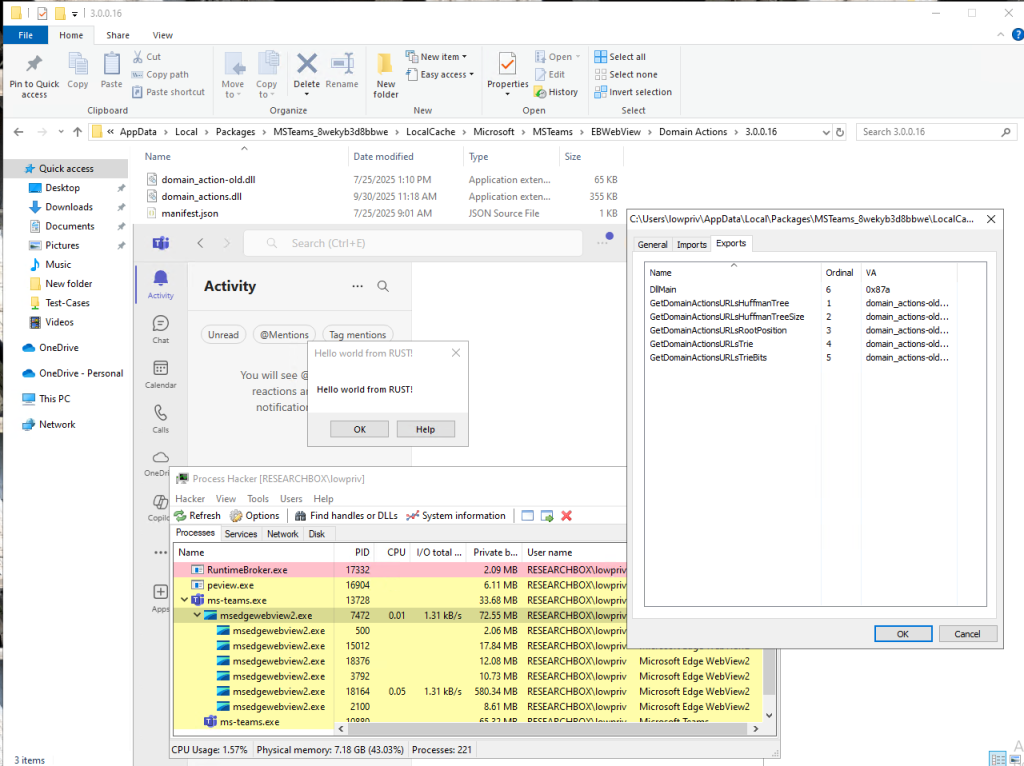
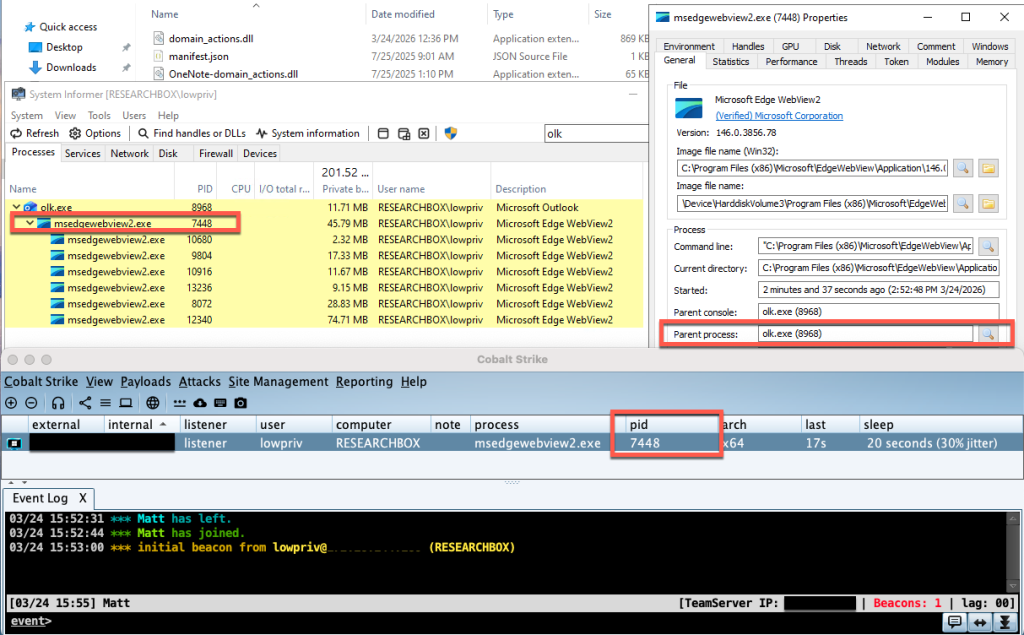
This makes WebView2 a high-value target for not only initial access but also persistence, as these applications are always running. To further illustrate the impact, the second example uses shellcode from a commercial Command-and-Control (C2) framework, Cobalt Strike, to establish a remote channel on the endpoint.
Microsoft’s Response
After completing the initial research to assessing the extent and exploitability of these issues, I reported these findings to Microsoft in October of 2025. The timeline below summarizes this disclosure process.
Timeline
- September 10th – Initial Discovery
- October 3rd – Informed Microsoft
- October 20th – MSRC confirmed the behavior and based on the results of the review warranted a remediation and possible CVE
- October 28th – Provided a Secondary update to Microsoft indicating new windows Apps that were vulnerable
- November 18th – Provided a Third update of new vulnerable application
- December 3rd – Received a message from Microsoft indicating that Microsoft has assigned a reserved CVE for the confirmed Edge vulnerability, which will be published once the fix is fully validated and released, with your acknowledgment included. The engineering team is actively developing and testing the patch, targeting a future Patch Tuesday (or an earlier out‑of‑cycle release), and the three‑month disclosure delay ensures the update can be thoroughly completed.
As of March 16, Microsoft had re-reviewed the case and reclassified the impact to be below the threshold to award a CVE. As a result, Microsoft will not be implementing a fix at this time but may in the future.
“Forever-Day” Vulnerability
What does this mean for enterprises? It means these vulnerabilities remain present in both Windows 10 and 11 as a “forever-day” – an exploitable vulnerability that the software vendor has no intention to fix and therefore is perpetually abusable by threat actors. As result, Windows endpoints will remain vulnerable to this.
More information about the DLL exploitation tool, FaceDancer, can be found here: https://github.com/Tylous/FaceDancer
References:
[1] https://winaero.com/edge-135-released-with-several-new-features-and-improvements/
Want to learn more from Matthew? Register now for tomorrow’s webcast taking place Thursday, April 16, at 1 PM EDT:
Proxy Execution with Microsoft Edge WebView2