
Finding and Addressing Vulnerable and Outdated Web Application Components


Vulnerable and outdated software components are one of the most common issues encountered by BHIS during web application penetration tests. The vast majority of web applications use third-party components such as jQuery, Angular, Bootstrap, or countless other libraries. Vulnerabilities can be present in any of these components and introduce risk into your environment. Keeping these components up to date is essential for maintaining the security of a web application. Vulnerabilities affecting components can range from minor information disclosure to critical remote code execution, which can put the entire organization at risk.
Identifying Components — From A Tester’s Perspective
It is important for testers to manually review each component utilized by a web application. Tools such as Nessus and Burp Suite’s passive scanner will flag some of the most serious vulnerabilities affecting third-party components, but the vast majority of vulnerabilities do not have associated findings in these tools, and testers relying on these tools to identify vulnerable components will fail to detect most of these issues.
The most straightforward way for testers to find components and their associated version numbers is to manually inspect the files returned by the application. The Site Map in Burp Suite and the developer tools in browsers (Firefox’s Debugger and Chrome’s Sources panel), all create an easily browsable list of files used by a web application.
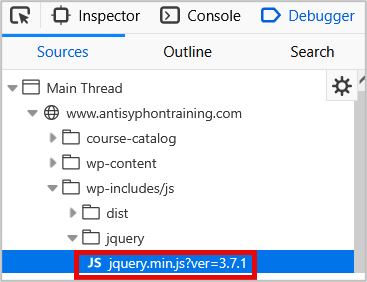
In some cases, a component’s name and version number may be readily apparent in the URL or at the top of a file. However, often times, component names and version numbers are buried deep within a file’s source code, and it can be difficult and time-consuming for humans to manually identify these.
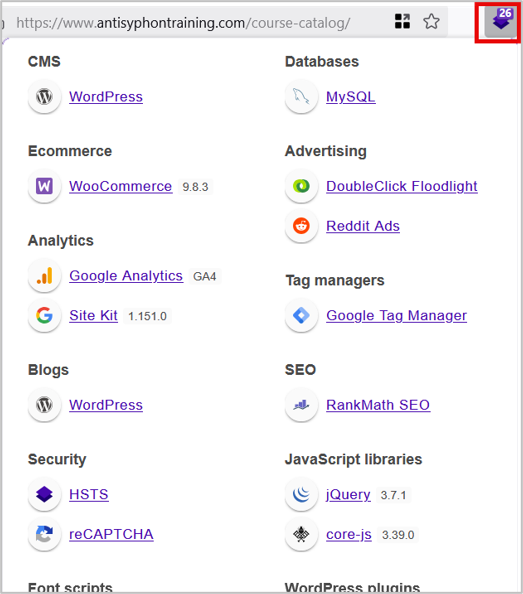
For the quick identification of third-party components and their version numbers, testers may consider using the Wappalyzer browser plugin. This plugin detects components utilized by the web application and, when possible, the components’ version numbers, and outputs them in a concise list, such as the one shown below.
Web applications that return verbose error messages that disclose information about the application for debugging purposes may also return component version numbers. Any components mentioned in verbose error messages should be manually investigated.
Identifying Vulnerabilities
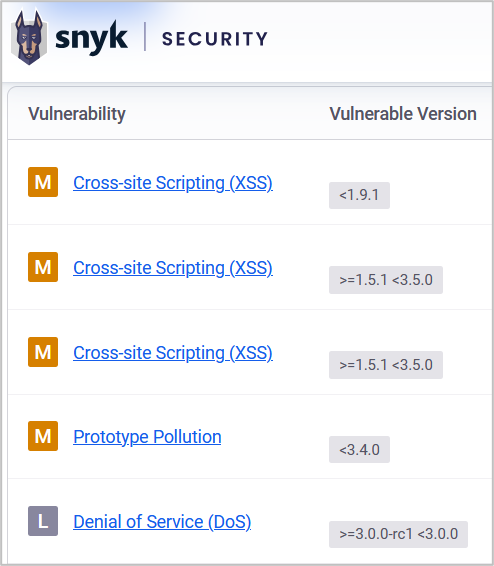
Once you have discovered a component and its associated version number, it’s time to check if that component has any known vulnerabilities. The Snyk Vulnerability Database is a great resource for finding vulnerabilities associated with web components.
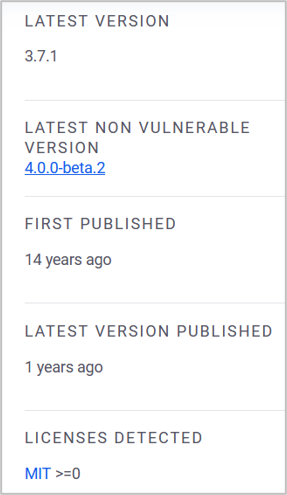
Snyk also offers a quick glance at useful information such as the software’s latest version, and how long ago the latest version of the software was published. This information puts into perspective how behind an organization is on patching. If the application is using version 2.1.6, but the latest version is 2.1.7, and it was only released five days ago, there is a good chance that this organization is on top of patching. Conversely, if the organization is 11 versions behind the latest release, patching components may be something that they really need to improve upon.
The date that the latest version was published can also provide an important perspective on the state of the software. If the latest version of the software is affected by known vulnerabilities, but the last version update was eight years ago, the component is likely no longer actively maintained, and developers should be advised to disable it.
If Snyk does not have useful information about a component, plugging the component name and version into a search engine, with a query such as “jquery 3.7.1 vulnerabilities” should return enough information for you to determine whether the component is affected by known vulnerabilities or not.
If a vulnerable component with a known exploit from a trustworthy source is identified, test the exploit against the web application if you are authorized to do so.
Detection and Remediation Steps for Organizations
It is important for organizations to stay on top of patching components so that vulnerabilities are not introduced into the environment. Review your organization’s patching policy, or establish a new one if necessary, and ensure that it encompasses all of the software in the environment, including web application components. Apply updates as frequently as possible, ideally on at least a weekly cadence. Subscribing to mailing lists and announcement feeds for components is highly recommended, as these often contain information about new versions and security fixes.
Sometimes removal is the optimal remediation. If the most recent software version is still vulnerable, consider replacing it with a different component. Maintain awareness of components’ use cases within the application, and if a component is no longer needed, remove it completely to reduce the web application’s attack surface.
Following these steps and keeping components up-to-date is an important step in maintaining the security of a web application.
Additional Reading
- OWASP Top Ten 2021: A6 – Vulnerable and Outdated Components
- OWASP Testing Guide: Application Components
- “HD Moore’s Law” on attacker success vs skill
- “Unfortunate Reality of Insecure Libraries” (OWASP PDF, 2012)
Ready to learn more?
Level up your skills with affordable classes from Antisyphon!
Available live/virtual and on-demand
